
creekX Media Server / Visual guide
Let people watch your stream
Use this page when your stream is working and you want people to watch it, by link or on your website. Being live doesn't turn the watch link on. You choose that, so turn it on deliberately and then test it the way a viewer would.
On this page
Installed before November 2026?
The screenshots show creekX as every new install and upgrade has it. A server installed
earlier looks different until it is upgraded: run sudo creekx upgrade, or
follow the earlier steps.
Show the steps for servers not yet upgraded
Watch links and your website
Every stream, video and channel can have a watch link and a player you can embed in your website. It plays over WebRTC, low-latency HLS or HLS. There are also addresses for VLC, set-top boxes and decoders.
Share a watch link
-
Turn the watch link on
On a stream, under Let people watch, turn it on. On a video or a channel, choose Share.
-
Copy it
Choose Copy link and send it by email, chat or social media. For a room full of people, show the QR code: phones open it with their camera.
A video plays from its start. The first time someone opens it, it is prepared in several sizes, which takes a little while, once. A 24/7 channel plays while it is on air.
Put the player on your website
-
Copy the code
Under For your website, copy the code. It is one line, an
<iframe>. -
Paste it into your page
In WordPress, Wix, Squarespace or your own site, add an "HTML" or "Embed" block and paste it. The player fits the width of the page.
Play in other apps
Under Play in other apps are addresses for players that are not a web page: VLC, smart TVs, broadcast decoders, and OBS as a Media Source. Real-time players get the lowest delay.
A private link that runs out
For one viewer, or a paid event, open the stream's Security tab and choose Make a private link. It plays even when the public watch link is off, and stops working by itself when its time is up. Choose "one viewer only" and it binds to the first viewer address. Devices sharing a public NAT address are not distinguished by this rule.
Stop a link that was passed on
Choose Make a new link. New uses of the old link are refused; update the embed on your website too. Do not assume every already active viewer is disconnected immediately. Or turn the watch link off to stop all public viewing.
See who watched
On a stream, Who watched lists each visit for 30 days: by which link, how they played it, their address and app. To limit viewing to places, or block someone, see Who may watch and stream.
Step 1Check the source first
Open your stream and confirm it is live with a moving picture. Choose Share. The preview in the workspace is for the operator; it does not prove an anonymous viewer can watch.
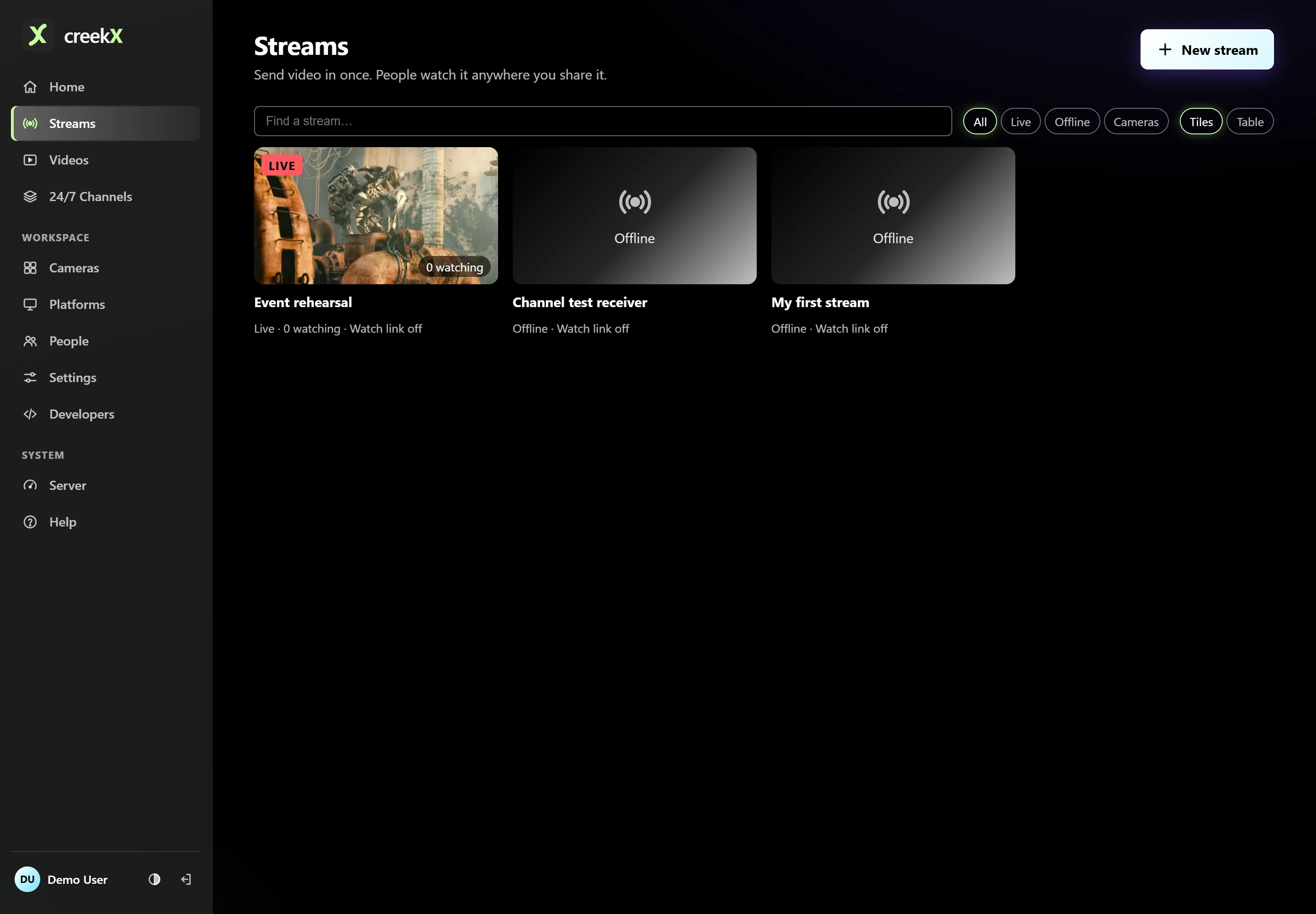
You should see: Live on the intended stream, not another test feed.
Step 2Enable the watch link
In Share, turn on Anyone with the link can watch only if that access is right for your stream. Anyone holding the link can open the watch page without an account. Keep it off when you do not want that.
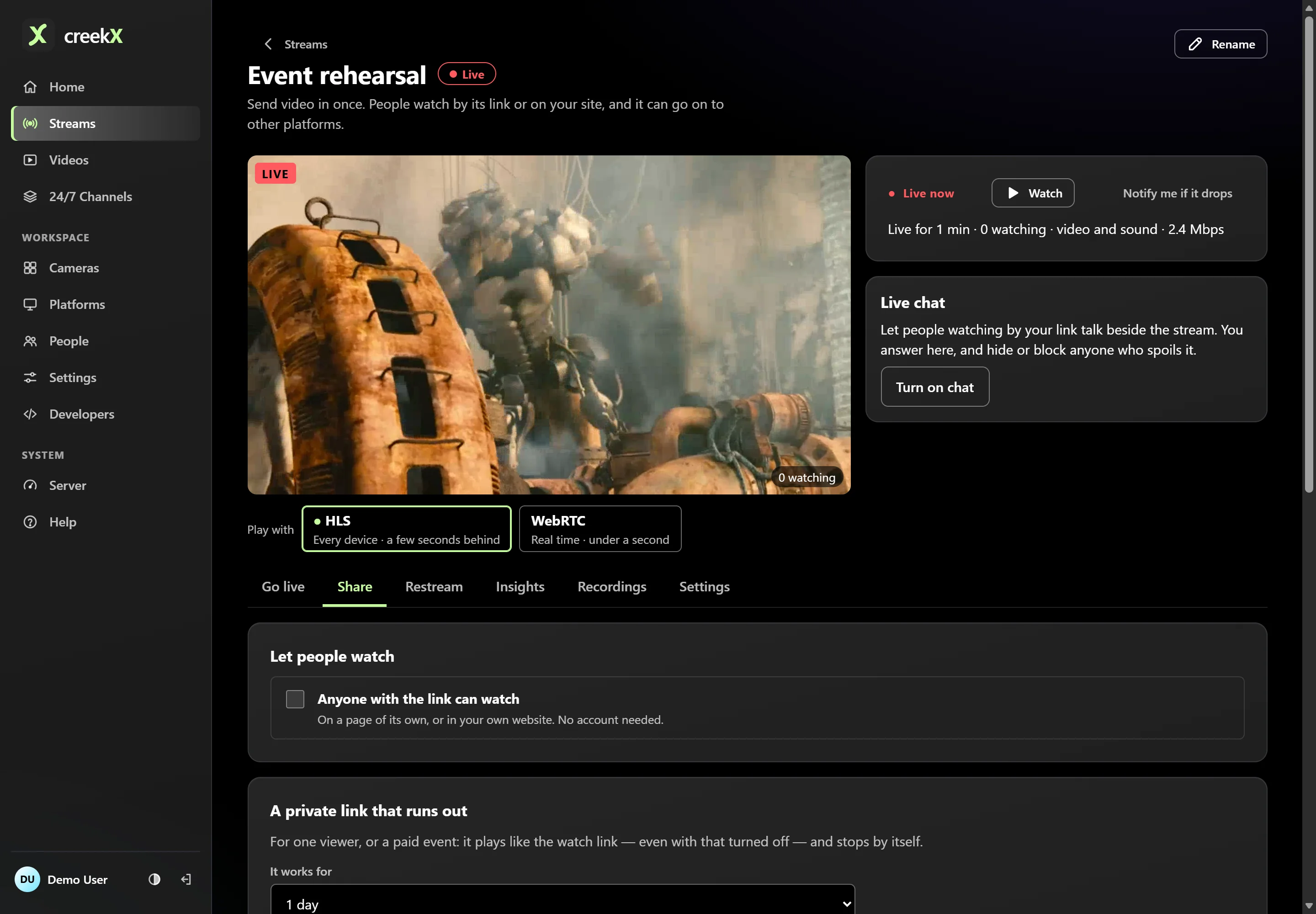
Click: Anyone with the link can watch
You should see: The watch-link controls after enabling access. Private addresses and watch tokens are deliberately absent from this guide.
Step 3Test the viewer path
During first-run setup, Turn on the watch link followed by Open it opens the viewer page. We checked that the second tab received moving video. For an installed server, repeat on another device and network. For embedding and expiring access, use the controls in your installed version and test access before sharing.
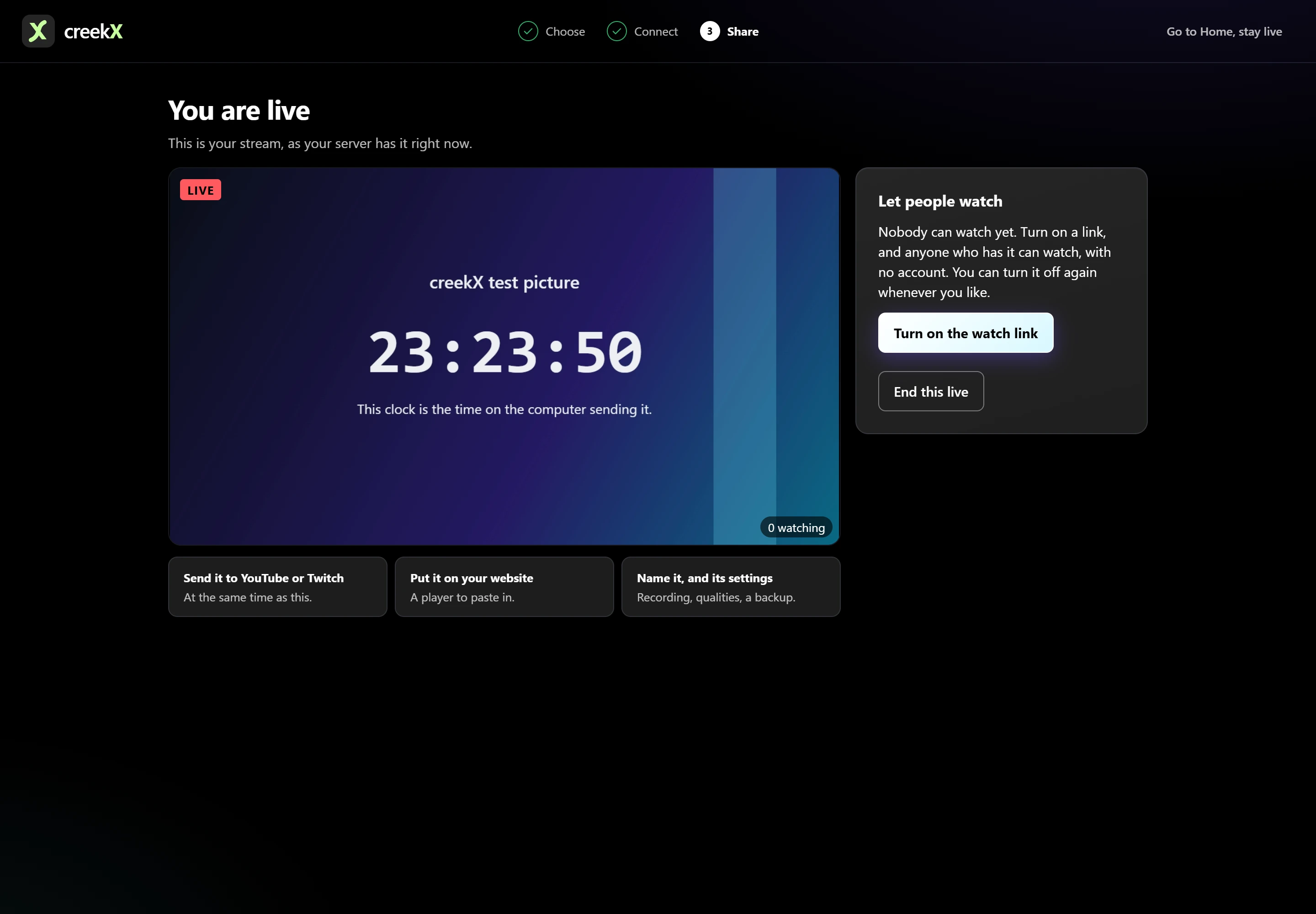
You should see: A moving viewer picture and expected access behaviour. An operator preview can work while a public network path fails.
Next steps
.
Why does the link work but not my website?
Open the direct link while signed out, then the page with your embed, on the same device. Check the picture, sound, keyboard controls and a viewer who should be refused. If only the embed fails, look at your site's frame policy, mixed content, autoplay rules and Content Security Policy. Don't remove access control to make it work.