
Policy rules out a public cloud
Install creekX on your own Ubuntu servers, including a network with no internet connection. The licence is verified locally from a signed file, the product sends no telemetry, and upgrades arrive as offline packages.
Public safety teams often cannot send video through a commercial cloud. CreekX runs on servers you control, receives camera and field feeds over encrypted connections, and records who watched what.
A control room needs video from fixed cameras, vehicles and temporary incident sites on one screen, and a rule often says that video may not pass through a commercial cloud. That leaves two questions for the technical lead: how each feed gets in over the network it actually has, and how to show afterwards who watched it.
Install creekX on your own Ubuntu servers, including a network with no internet connection. The licence is verified locally from a signed file, the product sends no telemetry, and upgrades arrive as offline packages.
Send with SRT, which re-sends lost packets inside a delay you choose, with AES encryption and a separate passphrase for each stream. A vehicle on mobile data keeps a usable picture where RTMP would break up.
Viewer connection logs show who watched, from which address and device, and when. Admin actions go to a separate audit log whose entries are chained by hash, so a changed entry can be detected. Both stay on your server.
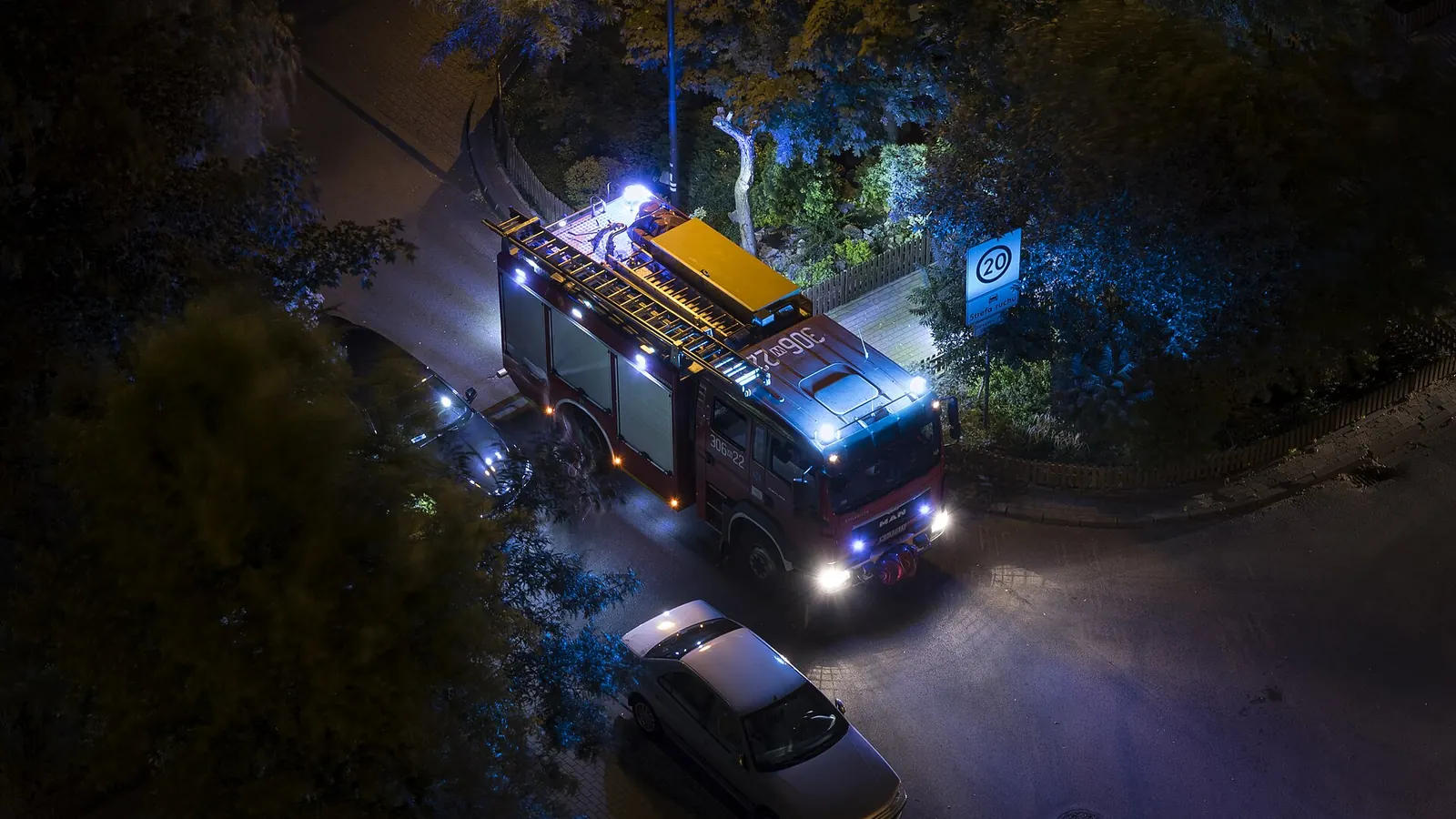
Fixed and field video take different routes in and meet on the same server. The longer walk-through is in the public safety video streaming guide.
Use CreekX Cameras for ONVIF and RTSP cameras grouped by site, recorded continuously and shown on walls of up to 4x4 tiles. Cameras is licensed per camera and starts with an assisted pilot.
Receive SRT, RTMPS or RTSPS from encoders and vehicles. Each stream has its own key, and a guest key that expires can be given to a unit from another agency for one incident. Steps: go live from an encoder.
Give time-limited watch links, limit watching to known network addresses, or have your own system approve each viewer before playback. If that system does not answer, creekX refuses the viewer.
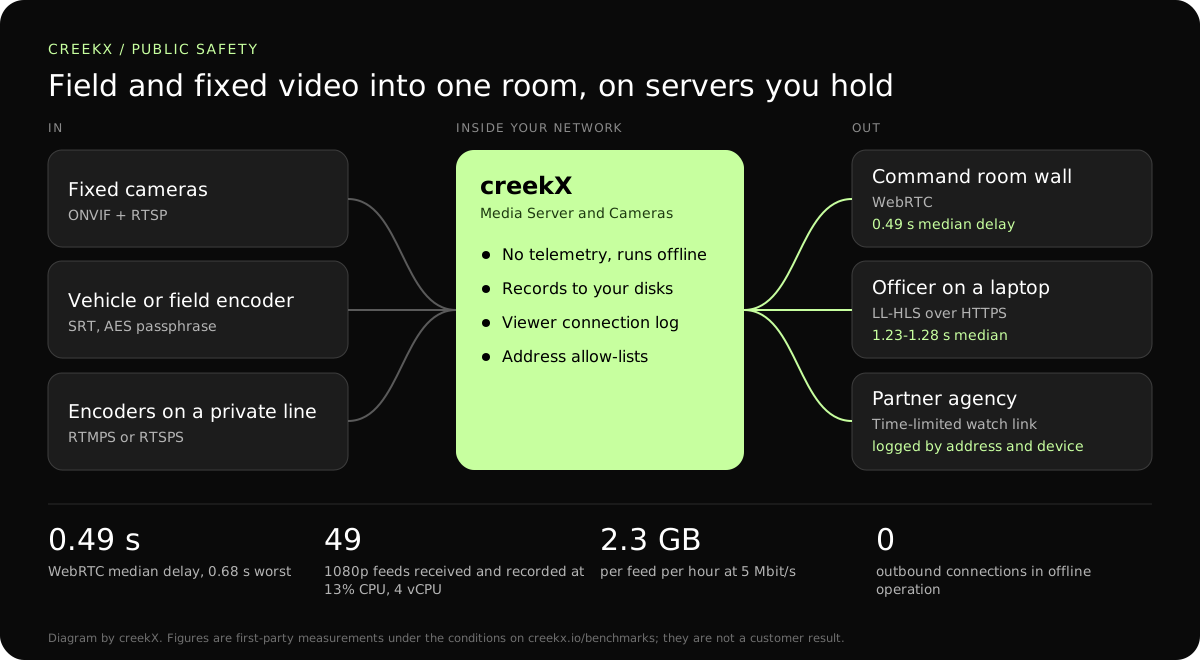
Choose the way in by the network the source has, and the way out by how quickly the viewer must react.
creekX carries standard audio and video. It has not been tested with drone telemetry or other metadata embedded in the stream; do not plan on metadata pass-through without testing it with CreekX. Background on the protocol: SRT over bad networks.
| Feed | Protocol | Figure | Why |
|---|---|---|---|
| Fixed camera on your network | RTSP, with ONVIF control | 3 Mbit/s per 1080p camera in our test | Stays inside your network and records without conversion. |
| Vehicle or drone ground station on mobile data | SRT with AES | Delay is the SRT latency you set | Re-sends lost packets; encrypted with a passphrase per stream. |
| Encoder on a private circuit | RTMPS or RTSPS | Not measured separately | TLS on a link that does not lose packets. |
| Command room wall | WebRTC | 0.49 s median, 0.68 s worst | Operators and the radio channel stay in step. |
| Officer or partner on a laptop | Low-latency HLS | 1.23-1.28 s median | Plain HTTPS through restrictive firewalls. |
From our Media Server test on a 4 vCPU, 8 GB server: 49 incoming 1080p streams at 5 Mbit/s, each recorded, used 13% of the processor and 1.5 GB of memory.
Not measured: feeds arriving over real mobile networks, and more than 50 streams on one installation. Larger deployments should be sized with CreekX.
On 13 October 2026, CreekX 2026.10.13 was installed using the standard one-line installer on Ubuntu 24.04. The test server had 4 vCPU, 8 GB memory, a 100 GB NVMe disk and about 890 Mbit/s upload bandwidth. It received a real 1080p, 25 fps H.264 test clip at 5 Mbit/s, and each test step ran for 60 seconds.
All 49 streams remained live. CreekX reported 13% CPU across the four cores, 1.5 GB memory use and 30.6 MB/s of disk writes. The CPU figures exclude the test tools.
The inputs were not validated physical cameras. The test therefore measures concurrent recorded streams under the stated conditions, not broad camera compatibility or a fixed number of cameras for another server.
At the tested 5 Mbit/s rate, one 1080p stream produces about 2.3 GB per hour, or about 55 GB per day. Retention requirements and disk performance should be included when sizing a deployment.
CreekX reports HTTPS for the application and video, encrypted WebRTC media, encrypted SRT ingest and AES-256-GCM protection for stored credentials. Recorded video is not encrypted by CreekX on the customer’s disks; deployments requiring encryption at rest need server-level disk encryption. Optional off-site backups, storage services or other outbound integrations create data paths outside the server when the customer enables them. CreekX currently has no formal security certification, independent penetration test or external audit.
CreekX Cameras is intended for mid-sized and large organisations with a technical owner and a need to view or record camera feeds on customer-controlled infrastructure.
Not directly. It receives standard streams such as RTSP, SRT and RTMP, and has a REST API and webhooks for your own integration. A body-worn camera that can only upload to its vendor’s cloud will not work. Ask CreekX about a specific device before buying.
No. No formal third-party security certification, penetration test or audit has been completed, and CreekX makes no compliance claim for any policing standard. The security page lists what the product does and how it has been tested.
Yes. An offline licence and installation package is available through sales, and core operation makes no outbound connection. Viewing from outside the closed network needs a path your own team provides.
Over WebRTC we measured 0.49 seconds median and 0.68 seconds at worst on a local network. A field feed adds the SRT delay you set for the link, commonly a fraction of a second to a few seconds on mobile data, and we have not measured that end to end over a mobile network.
In transit: SRT uses AES with a passphrase per stream, RTMPS and RTSPS use TLS, the app uses HTTPS, and WebRTC media uses DTLS-SRTP. On disk: creekX does not encrypt recordings; use disk encryption on the server when you need encryption at rest.
As long as your disks allow. A 1080p feed at 5 Mbit/s writes about 2.3 GB an hour, about 55 GB a day. Removed videos are kept for 30 days before deletion. Retention policy and evidence handling remain your own procedures.
Yes. Send a private watch link that expires, or a one-time token, for that stream only. Revoke all private links at once when the incident closes. The connection log shows whether the link was used and from where.
Share your network rules, the sources you need to bring in and who must watch, and CreekX will tell you plainly what fits and what does not.