Government and Defense

Live video for government networks, including air-gapped ones

CreekX installs on servers you hold, can run with no internet connection, sends no telemetry and encrypts contribution feeds. It suits agencies that must keep video inside their own boundary.

01triggers

When the network boundary decides everything

In a government network the first question is not latency or picture quality. It is whether the software can be installed, licensed, upgraded and operated without one packet leaving the boundary. Most streaming products fail there: they check a licence online, load a player from a public CDN or report usage to their vendor.

Video may not leave the network

Run fully offline with an offline installation package and a licence file that is verified locally by digital signature. creekX sends no telemetry, the player and its scripts are served from your own server, and upgrades arrive as offline packages you carry in.

Feeds come from remote or mobile sites

SRT keeps video moving over lossy links by re-sending lost packets inside a delay you choose, and encrypts it with AES and a separate passphrase for each stream. RTMPS and RTSPS cover encoders that do not speak SRT.

A tender asks for evidence

Measured benchmarks state the hardware, software version, source video and method beside every figure, and separate what was measured from what was calculated. The documentation and the OpenAPI 3.1 reference are public, so an evaluator can check a claim without a sales call.

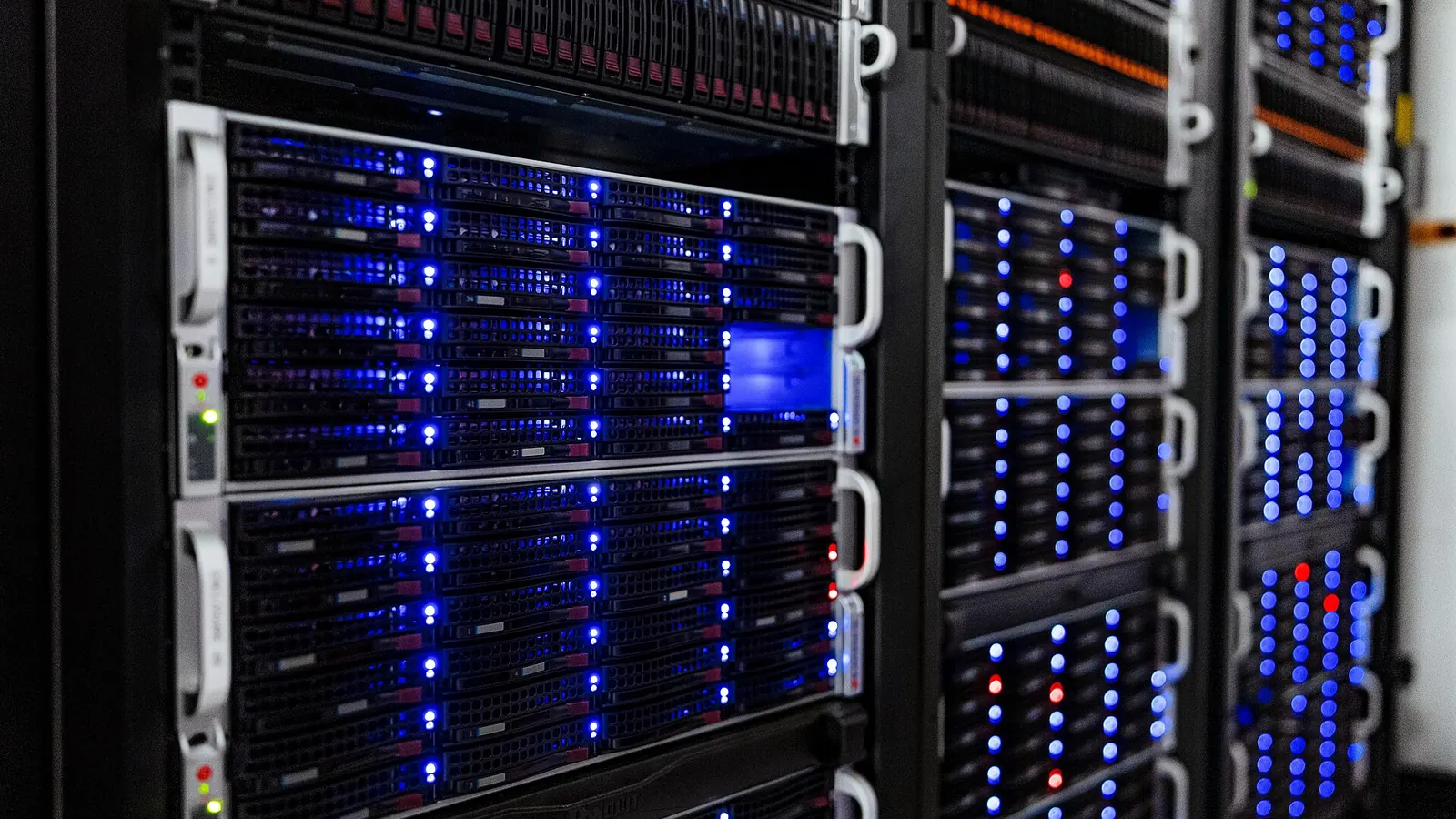
Close view of server racks with rows of blue status lights in a data centre
On a closed network the streaming server is one more machine in your own rack, installed and upgraded from media you carry in.
02process

How it is deployed

A deployment has three parts: getting the software inside, getting feeds in, and deciding who watches. The longer walk-through is in the government secure video streaming guide and offline and air-gapped streaming.

Install inside your boundary

An Ubuntu server, installed from an offline package where required. The installer, the licence file and later upgrade packages are supplied directly by CreekX. Ubuntu is the confirmed platform; other Linux distributions are not established.

Bring feeds in securely

SRT with encryption, RTMPS or RTSPS from encoders and cameras. Each stream has its own key, and you can accept a stream only from named encoder addresses. Stream keys and stored passwords are sealed with AES-256-GCM.

Control who watches

OpenID Connect single sign-on, four roles (owner, administrator, operator, viewer), address allow-lists and viewer logs. Your own system can also approve each viewer before playback; if it does not answer, creekX refuses the viewer.

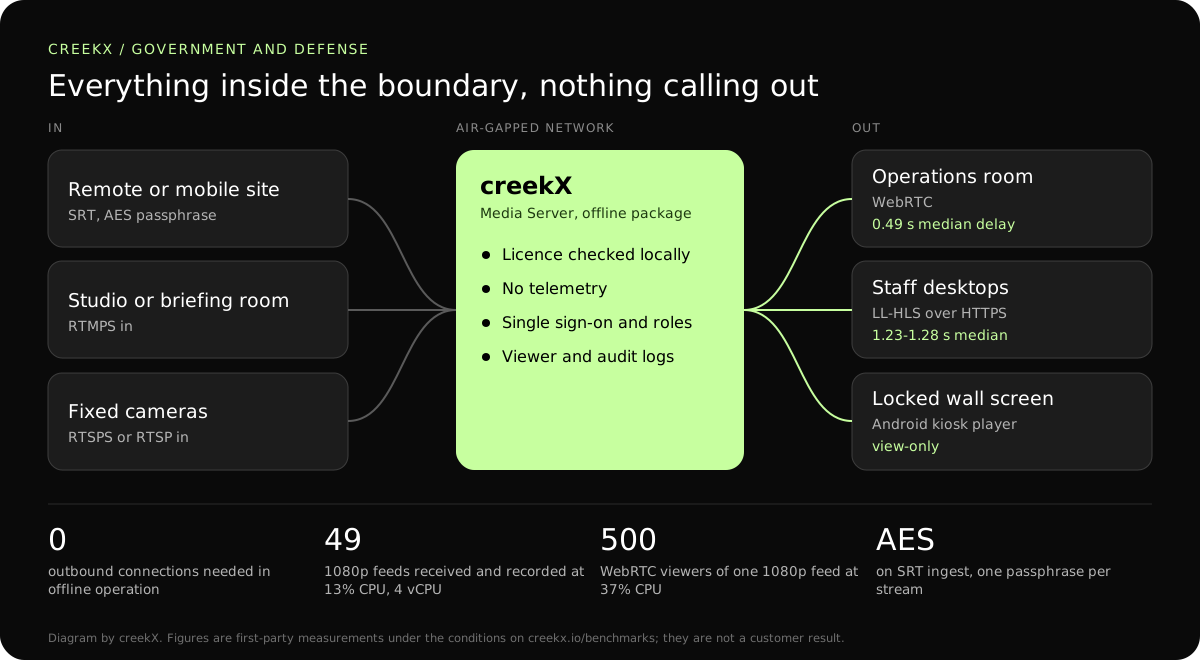
Diagram: encoders and cameras send encrypted SRT, RTMPS or RTSPS to a creekX server inside an air-gapped network, which serves an operations room, staff desktops and a kiosk screen with no outbound connection
The air-gapped path. Delay figures: creekX 2026.10.13, 1080p source, measured on a local network. Conditions are on the benchmarks page.
03deliverables

What you get

  • Air-gapped installation, a locally verified licence and offline upgrade packages, through CreekX
  • No telemetry; outbound connections exist only for features you turn on
  • Encrypted ingest (SRT with AES, RTMPS, RTSPS) and HTTPS and DTLS-SRTP delivery
  • OpenID Connect single sign-on with owner, administrator, operator and viewer roles
  • Viewer connection logs and a hash-chained admin audit log, kept on your server
  • A REST API with an OpenAPI 3.1 reference, and signed webhooks
04protocol fit

Which protocol on which side of the boundary

Contribution protocols are chosen by the link the source has. Delivery protocols are chosen by how closely the viewer must follow events and what the desktop firewall allows.

WebRTC needs UDP between the viewer and the server. On segments where only HTTPS is allowed, use low-latency HLS. The ports to open are listed in streaming server ports and firewall rules.

Protocol choices for a closed network. Delay figures are creekX’s own measurements on a local network.
LegProtocolEncryptionMeasured delay
Remote site to server over a lossy or leased linkSRTAES, passphrase per streamThe SRT latency you set
Studio encoder to serverRTMPSTLSNot measured separately
Camera to serverRTSPS or RTSP on a closed segmentTLS with RTSPSNot measured separately
Server to operations roomWebRTCDTLS-SRTP0.49 s median, 0.68 s worst
Server to staff desktopsLow-latency HLSHTTPS1.23-1.28 s median, 1.40 s worst
Server to archive viewersHLSHTTPS3.4-3.8 s median, 4.4 s worst
05sizing and cost

A sizing example: 12 feeds and 200 staff viewers

From our test on a 4 vCPU, 8 GB server with a 1080p source: 49 incoming streams at 5 Mbit/s, each recorded, used 13% of the processor; 500 WebRTC viewers of one 2.5 Mbit/s stream used 37%.

  • Feeds: 12 at 1080p and 5 Mbit/s is 60 Mbit/s into the server.
  • Viewers: 200 staff watching at 5 Mbit/s is 1,000 Mbit/s at the peak, which fills a 1 Gbit/s port. At 2.5 Mbit/s it is 500 Mbit/s. On an internal network the port and switch are the limit, not the processor.
  • Recording: 12 feeds x 2.3 GB is about 28 GB an hour, about 660 GB for a full day of all 12.
  • Licence: Media Server Pro is USD 99 per server each month or USD 999 a year. The offline package, installation and training are arranged through sales, and Enterprise terms are by quote.

Not measured: servers larger than 4 cores, more than 50 streams on one installation, and identity providers other than our test one. Size anything larger with CreekX before a tender response relies on it.

06First-party evidence

Measured delivery delay, with the test conditions

In a first-party test on 13 October 2026, CreekX 2026.10.13 measured a median delay of 0.49 seconds for WebRTC, with a worst result of 0.68 seconds. Low-latency HLS measured 1.23-1.28 seconds at the median and 1.40 seconds at worst. Standard HLS measured 3.4-3.8 seconds at the median and 4.4 seconds at worst. The test used the standard one-line installer on an Ubuntu 24.04 cloud server with 4 vCPU, 8 GB memory, a 100 GB NVMe disk and about 890 Mbit/s upload bandwidth. The source was a real 1080p, 25 fps H.264 clip at 5 Mbit/s, sent from OBS and viewed on a laptop over the local network. Each step ran for 60 seconds. These are product measurements under the stated conditions, not results from a customer deployment or a promise for each viewer.

07honest limits

What creekX does not offer government buyers today

  • No security certification, independent penetration test or external audit.
  • No SAML; single sign-on is OpenID Connect only.
  • No KLV or other metadata pass-through that we have tested.
  • No encryption of recordings at rest by the product itself.
  • No support for Linux distributions other than Ubuntu.
  • One server per installation, and email support in Gulf business hours unless an Enterprise contract says otherwise.
08Scope & limitations

Know where the security and data boundary sits

CreekX has no telemetry and can run with an offline licence and offline installation package supplied through sales. Video and the installed product’s operational account data remain on the customer-controlled server during local operation. Website and sales enquiries are separate. Enabling an off-site backup, external storage, restream destination or another outbound integration creates a corresponding outbound data path. Recorded video and library files are not encrypted by CreekX on the customer’s disks; use server-level disk encryption when encryption at rest is required. Viewer-security features have been checked through CreekX automated tests, but no formal third-party security certification or assessment has been completed.

09buyer fit

Start with a trial or speak to CreekX first

Start the trial yourself

The 14-day Media Server trial is available without a credit card. It includes the Media Server feature set with trial limits of five 24/7 channels, five restream destinations per stream and 500 library videos. Installation requires an internet connection. Your content is kept when the trial ends. Add a paid licence to continue using licensed features and creating channels after the trial and any applicable licence grace period.

Speak to CreekX before installing

Contact CreekX first if the deployment must be fully offline or air-gapped, will use several servers or more than 50 concurrent live streams, expects thousands of viewers, forms part of a tender, or needs installation, training or Enterprise support. CreekX currently operates one server per installation, so the team should check hardware, network capacity and product fit for a large audience before the trial.

10faq

Questions from government buyers

Does CreekX handle ISR metadata such as KLV?

No. It carries standard audio and video. KLV and other metadata embedded in a transport stream have not been tested and should be assumed lost. Do not plan on metadata pass-through without testing it with CreekX.

Does it have a security certification?

No. No formal third-party certification, penetration test or external audit has been completed, and CreekX makes no claim against any government security standard. The security page lists the controls and how they were tested.

Can we see it working before a tender?

Yes. Start the 14-day trial on a connected test server to evaluate the product itself, or ask CreekX for an assisted evaluation. The trial installer needs internet access, so it does not prove the offline installation route; that is demonstrated separately.

What outbound connections does creekX make?

In offline operation, none. On a connected server it makes outbound connections only for features you enable: restreaming to an outside platform, off-site backups, external storage, email alerts through your mail server, and webhooks to addresses you set. There is no usage reporting.

How is the licence checked without internet?

The licence is a signed file. The server verifies the signature locally against a public key built into the product, so no licence server is contacted. Renewal means installing a new file.

Which sign-on systems work?

Any OpenID Connect provider. SAML is not supported. Testing so far used a test identity provider rather than every commercial one, so test yours during evaluation. Steps: single sign-on.

Is recorded video encrypted at rest?

Not by creekX. Recordings and library files are ordinary files on your disks. Use disk encryption on the server when policy requires encryption at rest. Off-site backups, if you enable them, are encrypted on your server before transfer.

What does it run on?

Ubuntu 24.04 on your own hardware or virtual machine. The benchmark server had 4 vCPU and 8 GB of memory. One server carries one installation; a second site needs its own server and licence.

11Your next step

Tell us your boundary

Share your network rules, the number of feeds and viewers and the tender timeline, and CreekX will size a deployment and say what is not covered.

Follow the build