Media Server

Run real-time video on a server you control

When a live feed is too far behind, cloud charges rise with use or video must remain inside your environment, CreekX Media Server gives your IT team a self-hosted option. Take live video from browsers, encoders and camera feeds, deliver it through WebRTC, LL-HLS or HLS, record streams and run scheduled 24/7 channels from the same system.

Browser / encoderYour live source
WebRTC · LL-HLS · HLSTo your viewers
CreekX · Customer-controlled infrastructure
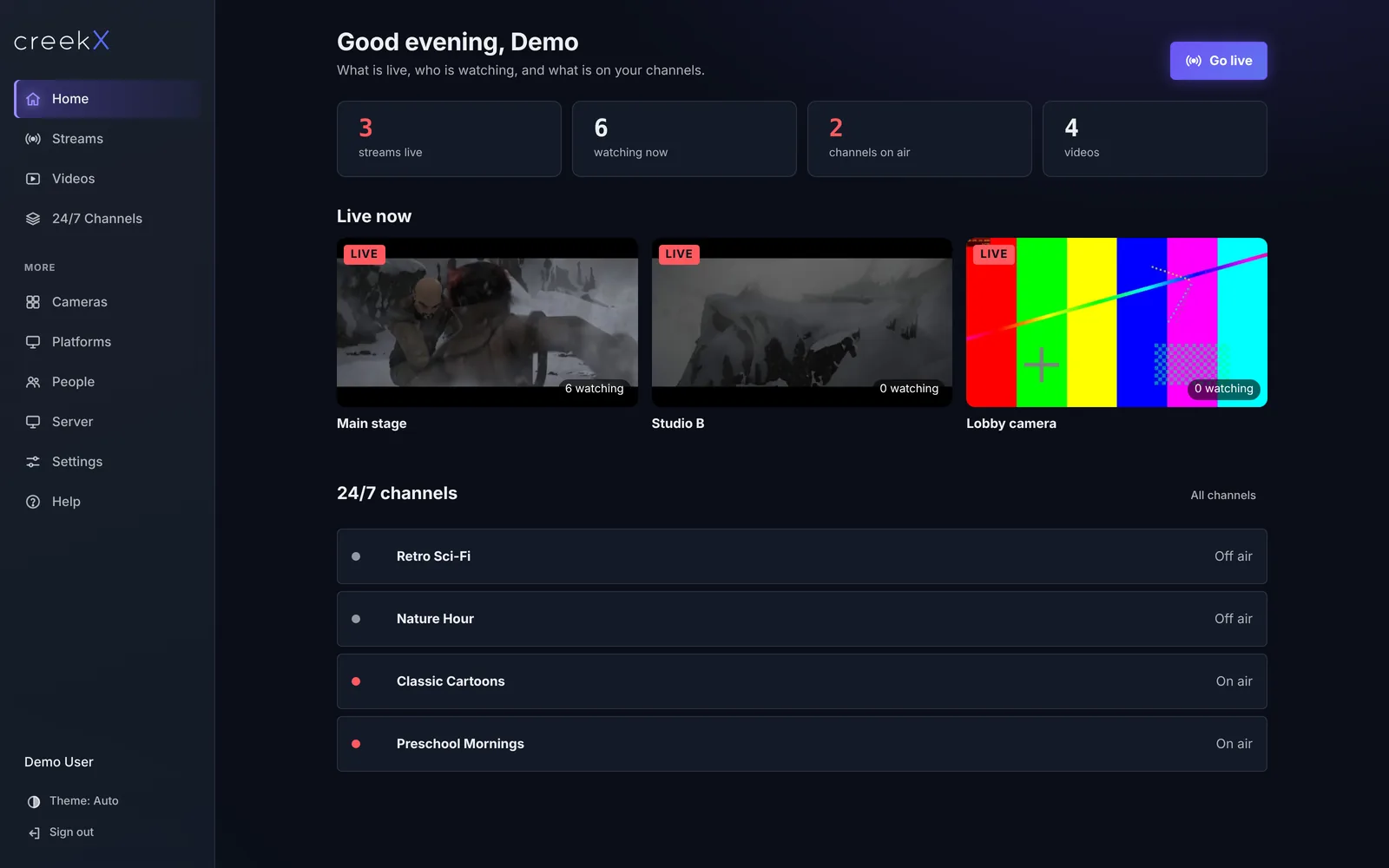
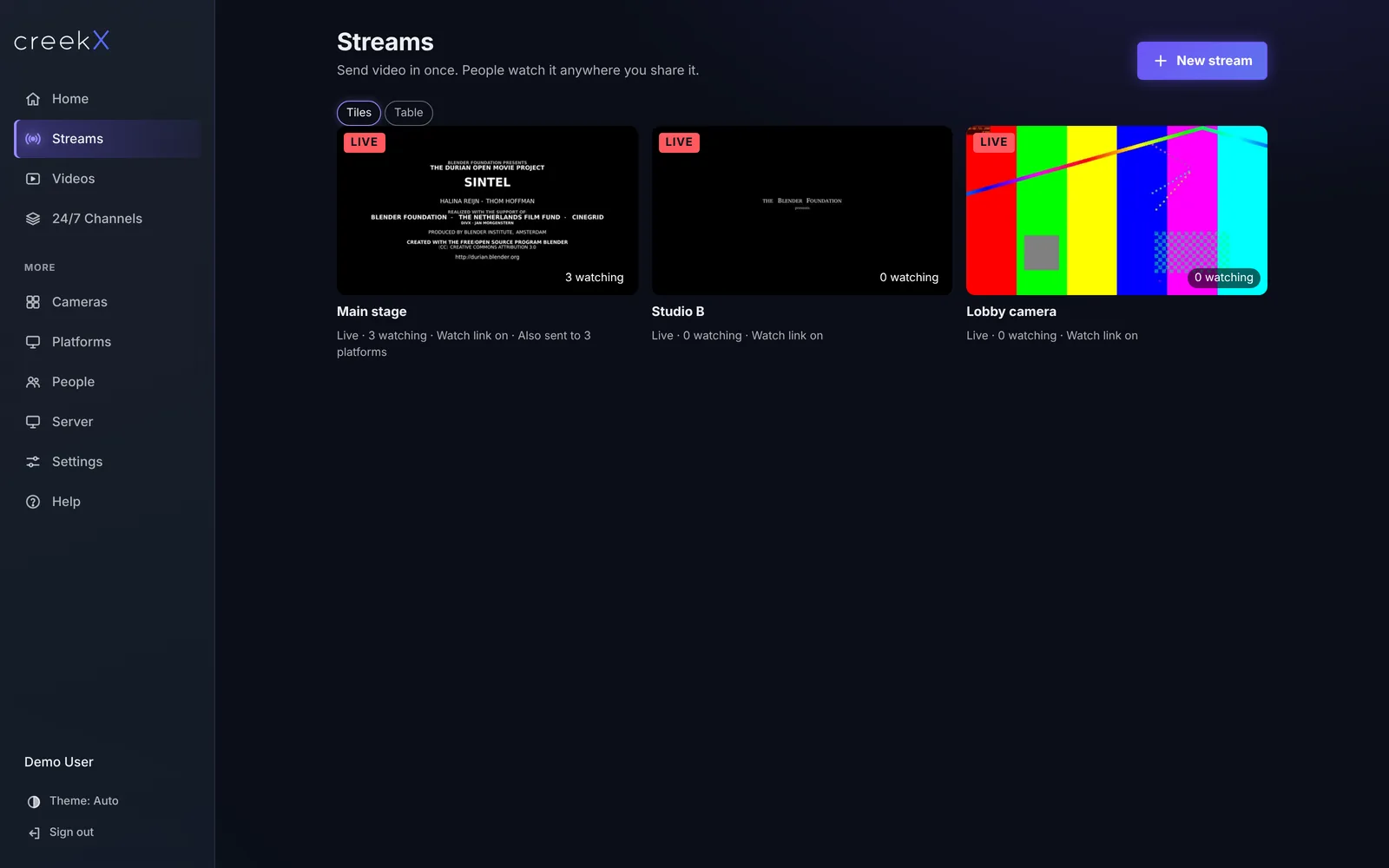
Actual CreekX dashboard from a demo installation, showing live streams, stream previews and 24/7 channels.
01 / Capture02 / CreekX server03 / Deliver
Actual product interface from a demo installation. Displayed activity is demo data.
01triggers

Is self-hosting the right decision?

CreekX is intended for organisations that want direct control over live delivery, infrastructure and operating costs.

The video is too far behind

Use WebRTC when auction bidders, sports viewers or operational teams need to see events close to real time. LL-HLS and HLS provide alternative playback paths when broader device delivery matters more than the lowest delay.

Usage-based cloud charges are difficult to plan

CreekX is licensed per server rather than metered by viewing minute. You run the software on infrastructure and network capacity under your control.

Video must remain inside your environment

Install CreekX on your own Ubuntu server. Fully offline and air-gapped deployments use an offline installation package and licence file supplied through an assisted sales process.

A channel needs to keep playing between live events

Build a schedule from your video library and run a TV-style channel continuously instead of manually starting each item.

02Capabilities

What CreekX Media Server handles

The product covers the path from live input to viewer playback, recording and day-to-day administration.

Live ingest and playback

Bring in video from a browser, encoder or stream source using WebRTC, RTMP, SRT or RTSP. Deliver it through WebRTC, LL-HLS or HLS, with adaptive bitrate options.

Scheduled 24/7 channels

Upload videos, arrange a schedule and keep a linear channel playing between live segments. Pro includes up to 10 channels on air.

Recording, library and captions

Record incoming streams, store videos for channels or on-demand playback and generate captions on your server. Caption speed and accuracy depend on the server hardware and spoken language.

Controlled viewer access

Use signed watch links, one-time viewer tokens, IP allow-lists and blocks, viewer connection logs or an approval check through your own system.

Administration and integration

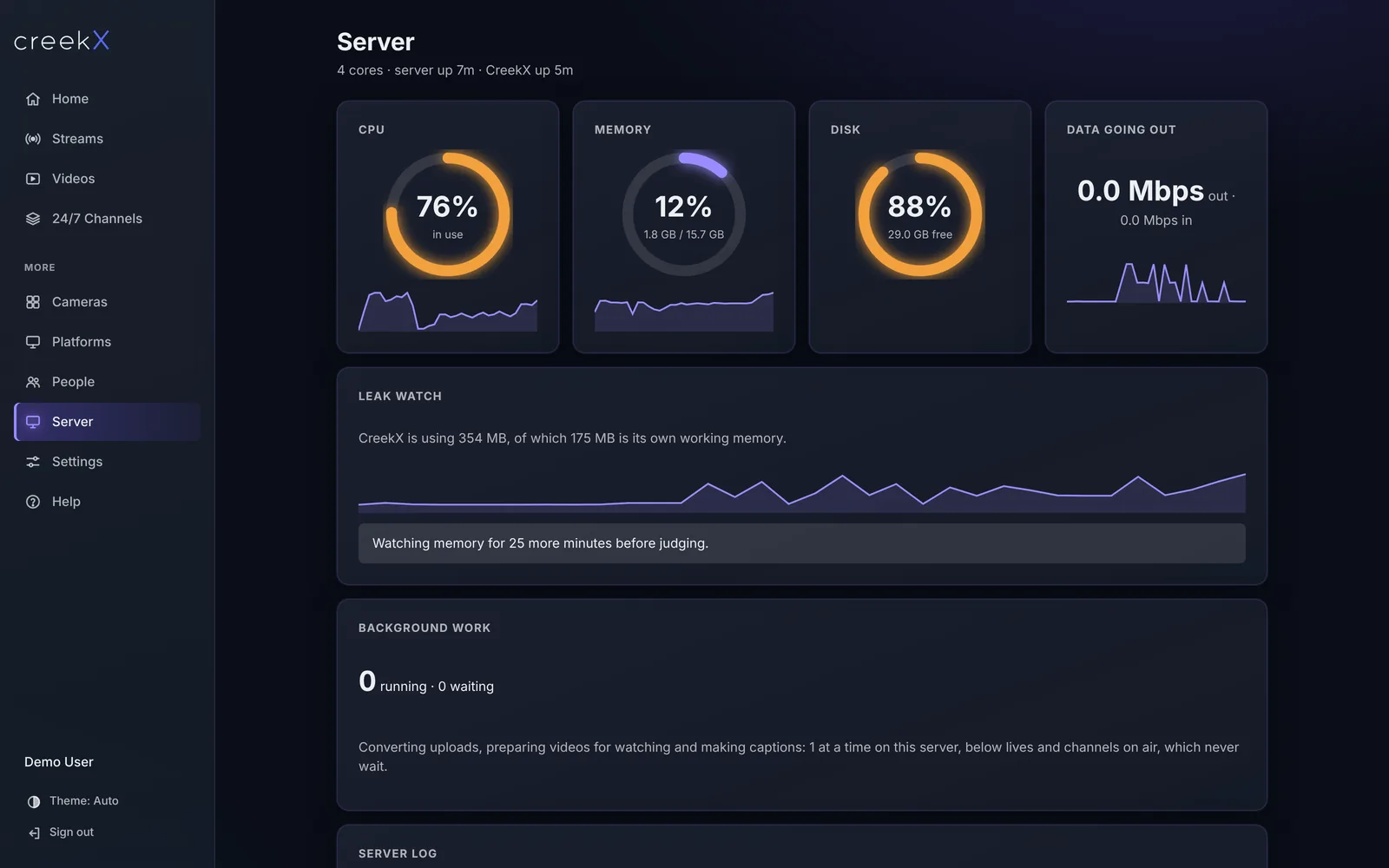
Monitor CPU, memory, disk and network health in the admin console. Connect other systems through the documented REST API and webhooks.

Real software.
Everyday control.

Explore the existing CreekX interface. These screenshots come from a demo installation; they are not customer deployments.

Actual CreekX streams screen from a demo installation

Streams

Manage live sources and viewing paths.

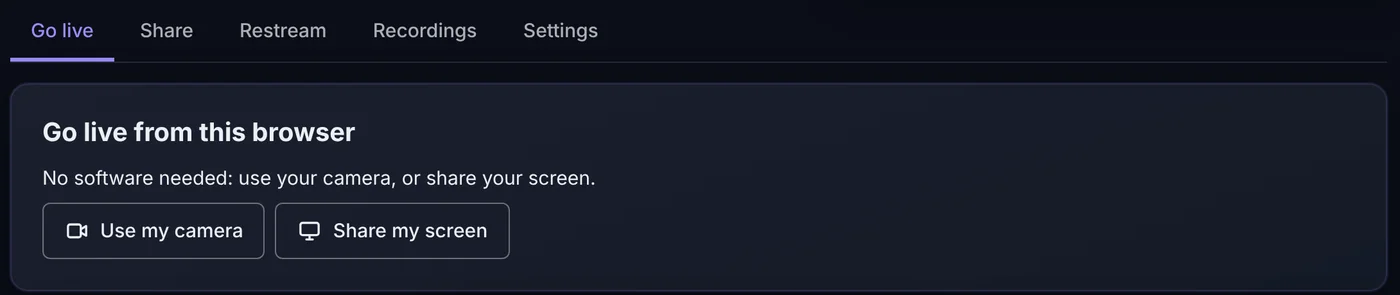
Actual CreekX go live screen from a demo installation

Go live

Find your encoder and browser connection settings.

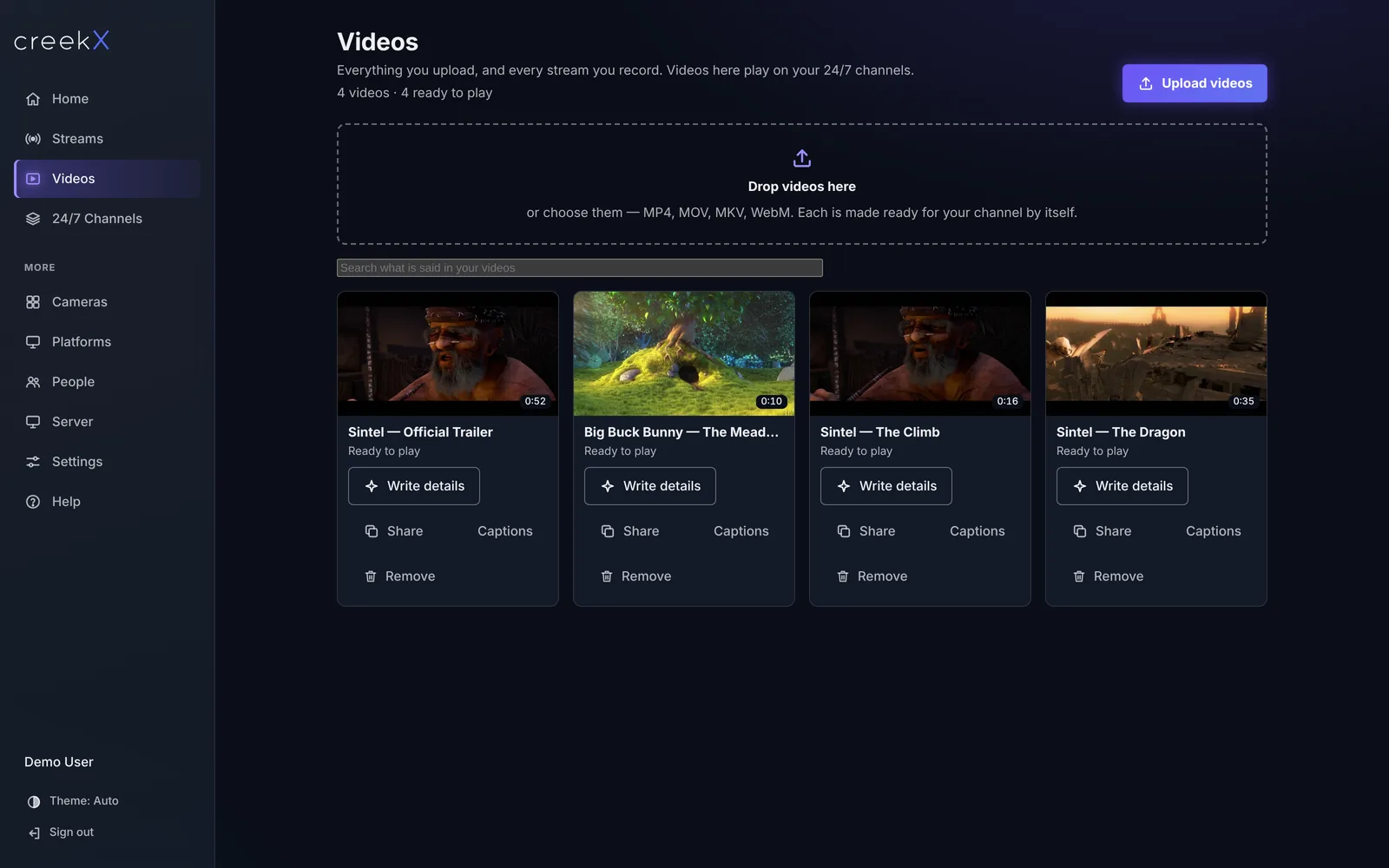
Actual CreekX video library screen from a demo installation

Video library

Keep recordings and scheduled content together.

Actual CreekX server health screen from a demo installation

Server health

Inspect your server resources and logs.

Your streams.
Your code.

Connect CreekX to your own applications through the REST API and webhooks. Start with this authentication example from the API quick-start guide, then work through creating a stream and connecting your encoder.

Replace the example hostname and API key with your installation’s values. The complete OpenAPI document is available at /openapi.json on your own server.

Authenticate · REST API
export CREEKX=https://live.example.com/v1
export KEY=YOUR-API-KEY
curl -H "X-CreekX-Key: $KEY" $CREEKX/streams

X-CreekX-Key JSON / HTTP
03applications

Where Media Server fits

Live auctions

Deliver live lot video close to real time so remote bidders can follow the auction without waiting through a long playback delay.

Sports streaming

Take feeds from production equipment, provide protected viewing links and serve audiences on browsers and phones from your own server.

Continuous channels

Run sports replays, previews, local programming, faith content or venue programming from a scheduled library, with live input when needed.

Direct camera streams

Media Server can receive a camera feed through an RTSP or SRT address. Automated ONVIF discovery, the camera wall and the camera recording timeline belong to the separately licensed CreekX Cameras product.

04technical brief

Technical fit at a glance

Capacity depends on video quality, transcoding work, storage speed and network bandwidth. CreekX currently runs as one server per installation, so the hardware should be sized for the required streams and viewers.

  • Input: RTMP, SRT, RTSP and WebRTC.
  • Viewer delivery: WebRTC, LL-HLS and HLS. MPEG-DASH and WebM delivery are not supported.
  • Deployment: Ubuntu server, with WSL 2 or Multipass available for evaluation on a laptop.
  • Integration: REST API, webhooks and OpenID Connect single sign-on.
  • Media Server can pull a camera stream by its RTSP or SRT address, including during the trial. ONVIF discovery, the camera wall and the camera recording timeline belong to the separately licensed CreekX Cameras portal, which is evaluated through an assisted pilot. Physical-camera validation remains outstanding, and support for Media2-only cameras is still being added.
  • Offline scope: connected trials download the installer from the internet. Fully offline initial installation is arranged directly with CreekX.
05deliverables

Plans, inclusions and renewal terms

CreekX Media Server is subscription software licensed per server. Billing is not metered by viewer, but practical audience capacity still depends on the server and network. All prices on this page are in US dollars (USD). CreekX subscriptions renew automatically when the renewal payment is successfully completed. You can cancel your subscription in the CreekX dashboard to stop future renewals.

14-day trial - $0

The 14-day trial starts at signup, not at licence activation or installation. No credit card is required. The trial provides the Media Server capabilities in Pro, with up to 5 channels on air, 5 restream destinations per stream and 500 library videos. It requires internet during installation and does not include the CreekX Cameras portal. When the trial ends, the workspace becomes read-only; its videos, channels, streams and recordings remain in place.

Pro - $99 per server monthly or $999 yearly

Includes 50 concurrent live streams, 10 channels on air, 10 restream destinations per stream, adaptive playback, recording, server-generated captions, guest rooms, the REST API, webhooks and email support.

What a paid licence includes

You receive software use for the paid period, every update released during that period, offline upgrade packages, an Ubuntu self-install kit, public documentation and email support. Support runs Sunday to Thursday, 09:00-18:00 Gulf Standard Time, with a reply within one business day.

Enterprise - by quote

Enterprise covers multiple servers, custom limits, done-for-you installation, operator training and priority support. Response times, contact channels and any extended coverage are defined in the agreement.

If a paid subscription is not renewed

Updates and email support stop, but existing live streams and 24/7 channels continue, recordings remain playable and data are not deleted. After a 30-day grace period, new channels and newly enabled features are restricted until renewal.
06First-party evidence

Measured on a defined test setup

These are first-party product measurements, not customer results. Tests ran on 13 October 2026 using CreekX 2026.10.13 and the standard installer. The server had 4 vCPU, 8 GB memory, a 100 GB NVMe disk, Ubuntu 24.04 and about 890 Mbit/s upload bandwidth. The source was a real 1080p, 25 fps H.264 clip at 5 Mbit/s. Each step ran for 60 seconds, and reported CreekX CPU excludes the test tools.

  • Forty-nine incoming 1080p streams were recorded at once. All remained live while CreekX used 13% of the four-core CPU capacity, 1.5 GB of memory and 30.6 MB/s of disk writes. These were recorded input streams, not validated physical cameras, and the test stopped at the product's 50-stream plan limit.
  • For one 1080p WebRTC stream at 2.5 Mbit/s, 500 generated viewers all received video while CreekX used 37% of CPU. The viewers ran on the same machine, so this is not a public-internet audience guarantee.
  • For one 1080p LL-HLS stream, 400 generated viewers completed the test with no stalls while CreekX used 0.8 processor cores. The viewers again ran on the test machine.
  • With OBS sending over a local network and playback measured on a laptop, WebRTC delay was 0.49 seconds median and 0.68 seconds worst in the test.
07Scope & limitations

Security controls and their limits

CreekX reports that these product controls are verified by its own automated tests. The product does not currently have a formal security certification, independent penetration test or external security audit.

  • The application and video use HTTPS, WebRTC media uses DTLS-SRTP and SRT ingest can use AES encryption with a separate passphrase for each stream.
  • Stream keys, camera passwords and other stored credentials use AES-256-GCM. Roles, API keys, signed links, one-time viewer tokens and IP rules control access.
  • Viewer connection records show who watched, from which device and IP address, and when. Administrative actions are recorded in a hash-chained audit log so changed entries can be detected.
  • CreekX can run offline and sends no telemetry. Customer-enabled features such as off-site backups or external storage create their own outbound data paths.
  • Recorded video and library files are not encrypted by CreekX on the customer's disks. Deployments requiring encryption at rest need customer-provided disk encryption.
  • OpenID Connect single sign-on is supported but has so far been tested against a test identity provider. SAML and built-in two-factor authentication are not supported.
08buyer fit

Start now or speak with CreekX first

Start the trial now

The self-serve trial suits developers, IT teams and technical buyers evaluating live streaming or 24/7 channels on an Ubuntu server, WSL 2 or Multipass.

Speak with CreekX first

Use the assisted route for the Cameras product, fully offline or air-gapped installations, multiple servers, more than 50 live streams, audiences in the thousands, tenders, installation, training or Enterprise support.

Current scope boundaries

CreekX is not a current fit for a single public audience that must be distributed automatically across many servers, projects centred on custom one-off development or deployments that require 24-hour phone support.

Not sure about the technical details?

Describe what you want to stream, where people will watch and whether the system must operate offline. You do not need to know the final server specification, channel count or architecture before making contact.

Discuss your Media Server evaluation

The 14-day trial starts at signup, not installation or activation. No credit card is required. Self-serve signup is currently being updated; contact CreekX to discuss your evaluation. Cameras and fully offline deployments use the assisted route.

Email [email protected]