
On this page
Measure streaming latency without fooling yourself
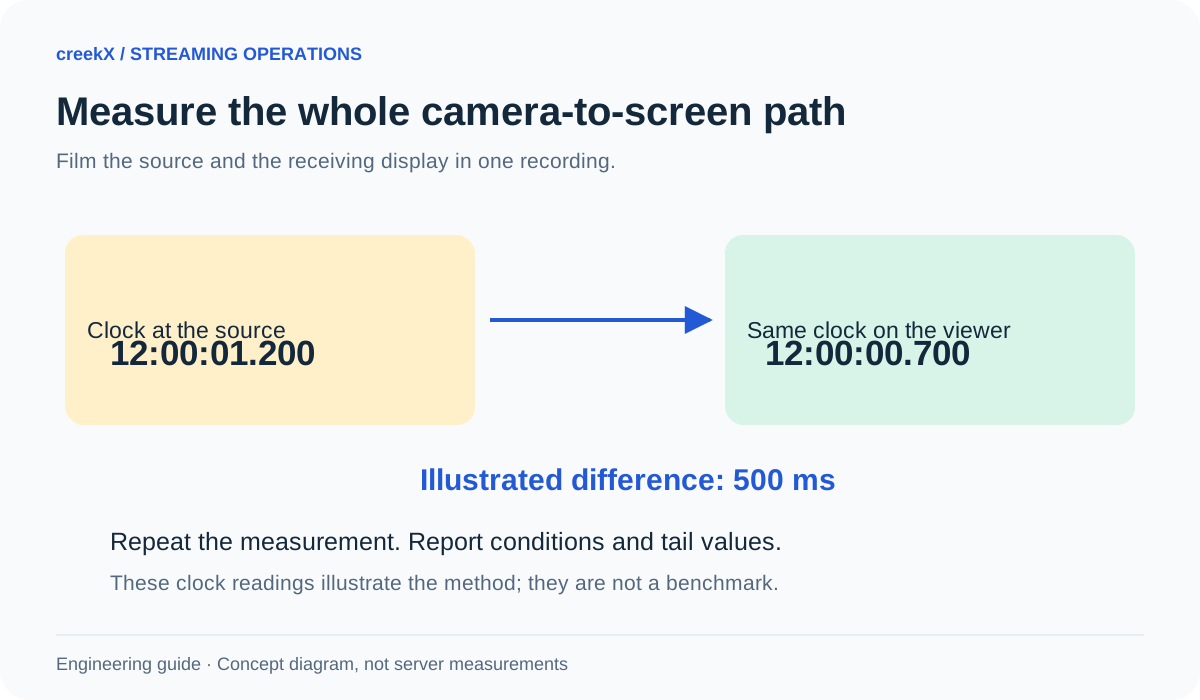
To measure glass-to-glass latency, record the source and receiving display together so both can be compared in one time reference. Repeat the test under stated conditions. A browser buffer value or a single fast frame is not an end-to-end latency result.
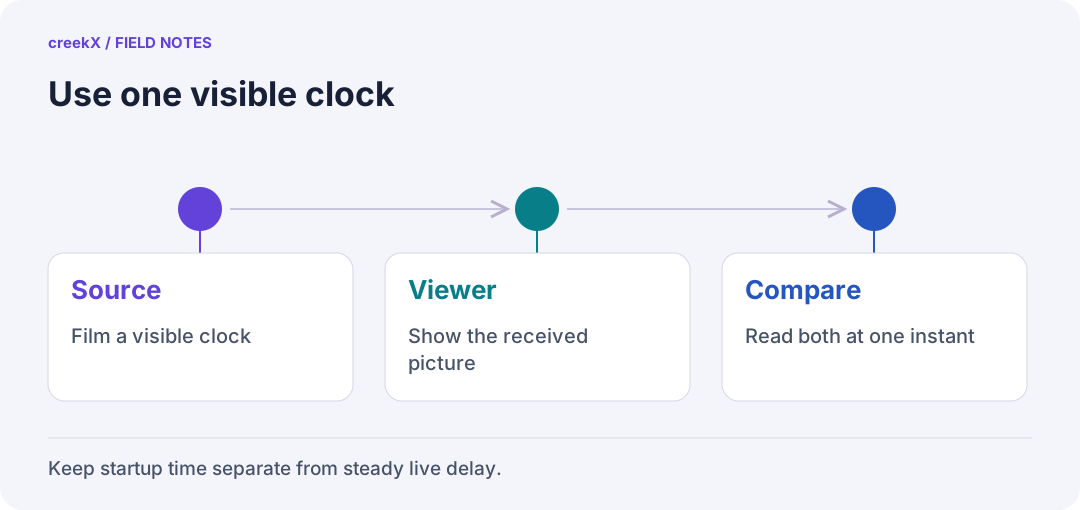
- SourceFilm a visible clock
- ViewerShow the received picture
- CompareRead both at one instant
Decide which delay you mean
A stream can start slowly and then stay close to live. Another can start quickly but play several seconds behind the source. Keep two columns: startup time, from the viewer’s action to the first presented frame; and glass-to-glass delay, from the source scene to the receiving display.
Neither is the encoder’s processing time alone. Capture, encoding, transport, server processing, buffering, decoding and display can all contribute. The source-to-screen guide maps these stages. Name the stage you measured rather than attaching “latency” to any small timing value you find.
Build a test with one visual reference
Show a running counter or time display to the source camera. Place the receiving screen so a second camera can record both the original counter and its streamed version in the same shot. Compare the counter values visible in each recorded frame. Do not point two independently set clocks at cameras and assume they match.
Use a timer and recording frame rate fine enough for the difference you want to observe. A display updating once per second cannot support a precise claim about a tenth of a second. Rolling shutters, display refresh and camera exposure add uncertainty. State the method’s resolution instead of reporting more decimal places than it can justify.
Keep the path stable
| Record | Why it changes the result |
|---|---|
| Encoder, codec and keyframe interval | Capture and compression delay vary |
| Playback protocol and player | Different buffering and recovery choices |
| Network and viewer location | A local path differs from an internet path |
| Server load and active streams | Shared work can affect processing |
| Device, browser and display | Decode and presentation differ |
In creekX, select the playback path you intend to use and note its settings. Repeat with another path only as a separate test. The sharing and embedding guide describes the viewer route. Do not change resolution, network and protocol together and then attribute the difference to only one of them.
Repeat before calculating a headline
For a small comparison, plan several independent sessions and take multiple observations during each. Include cold starts and a steady period after playback settles. Keep every failed start in your notes. A measurement excluding all failures can make a poor experience look fast.
Report sample count, median and range. With enough observations, a high percentile can describe slower experiences too; a p95 from only a few readings is unstable. Save the raw observations and the rule used to select them. Do not choose the quickest frame from a long recording as the product’s typical result.
Use browser timing for the question it answers
requestVideoFrameCallback() lets code observe frames being submitted for presentation. Its metadata can help study playback, but it is not a complete source-to-screen stopwatch. Feature-detect it, and treat optional WebRTC timing fields as optional.
A player’s current position, buffered range and media timestamps use the media timeline. They are not automatically the source’s wall clock. Likewise, a network round-trip time measures a round trip, not the full camera-to-display path. Use these values to explain an observed result, not replace the end-to-end measurement.
Test the uncomfortable case too
Measure the viewer after a brief source interruption, on the intended mobile connection and while your expected recording or conversion work runs. Keep these tests private and controlled. A recovered player may return further behind live, so check delay again rather than declaring recovery as soon as the picture moves.
Use the first-frame guide for startup and the viewer-health guide for freezes and frame delivery. They complement latency; they do not substitute for it. A fast stream that repeatedly freezes may still be wrong for the event.
Publish a result someone else could reproduce
Write the method, date, software versions, workload, network path and limitations beside the number. Label a local evaluation as local. Keep measured results separate from calculated estimates and desired targets. Start with the streaming server guide if you are choosing a system, then run this test on your own path before making an audience promise.
Implementation check
Make a timing result reproducible
You need: One visual source counter and a second recording showing both source and received display.
- Record the full source-to-screen path and the capture frame rate.
- Read several source/receiver differences from the same recording. Retain slow observations and starts that fail.
- Repeat after one change and state the method’s resolution with the result.
Pass when: Someone else can repeat the method without synchronizing unrelated wall clocks.
If it fails: Do not combine local-network and internet observations into one headline or turn a small sample into a guaranteed percentile.
Frequently asked questions
Can a screenshot prove sub-second live latency?
No. A single still image normally lacks a reliable shared time reference and repeated measurements. Use an explicit method and report its uncertainty.
Does requestVideoFrameCallback give end-to-end latency?
Not on its own. It exposes frame presentation metadata; optional WebRTC timing fields may help investigation, but availability and clock assumptions matter.