
On this page
Move from RTMP to WHIP without risking your next event
WHIP can make WebRTC publishing easier to connect to a streaming workflow. That is a good reason to test it. It is not a reason to replace the ingest path of tomorrow's event without a rehearsal.
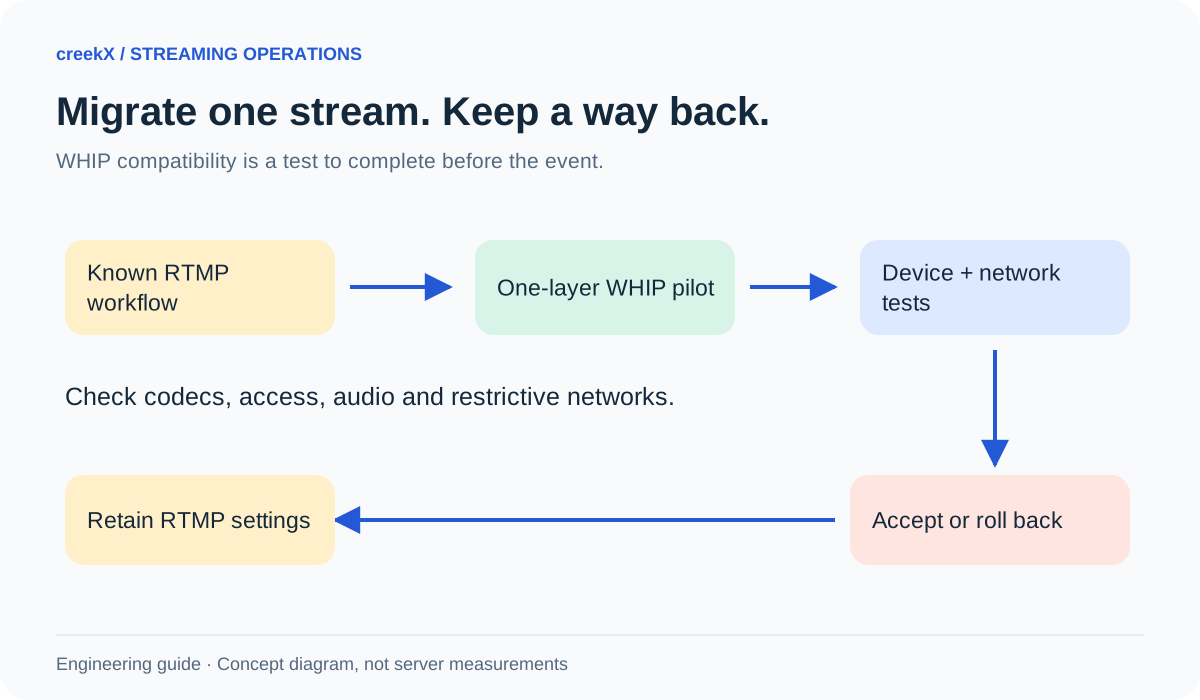
A safe migration changes one stream, uses the real viewer devices and keeps a known working route ready. The aim is not simply to make the encoder say “connected.” The aim is usable video, sound, recording and recovery.
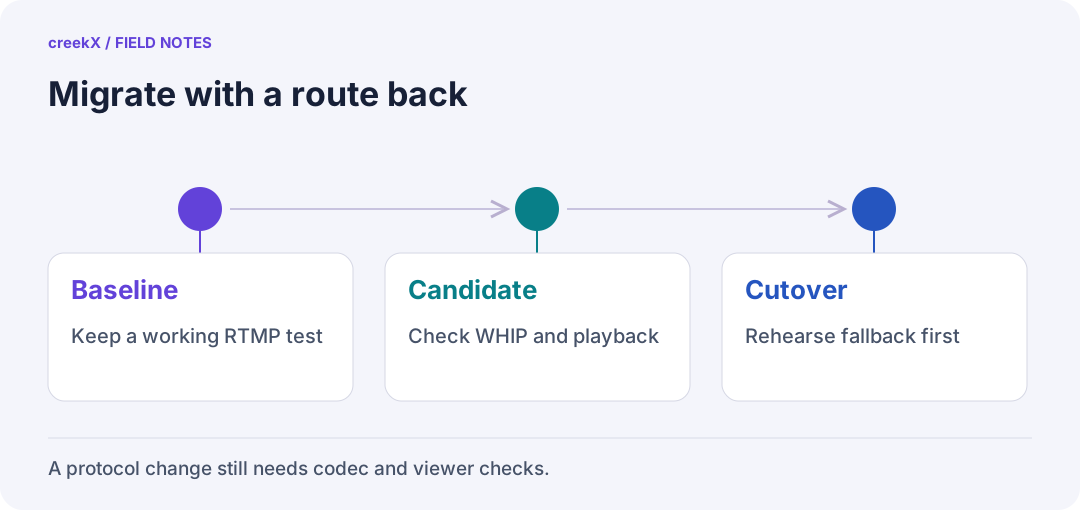
- BaselineKeep a working RTMP test
- CandidateCheck WHIP and playback
- CutoverRehearse fallback first
Know what is changing
RTMP and WHIP bring a feed into the server. WHIP uses HTTP to establish a WebRTC publishing session; the media path then follows WebRTC. It is not ordinary video upload over HTTP. Its published standard is RFC 9725.
Your viewer can still be using a different delivery method. A WHIP source does not automatically turn an HLS watch page into a WebRTC player. Keep ingest, browser playback, restreaming and recording as separate acceptance checks.
Write down the working RTMP baseline
- Source device and encoder version, video and audio codecs, resolution, frame rate and bitrate.
- The normal viewer path, access rules and representative phones or computers.
- Recording and any external destinations the event needs.
- Who can switch the source back, and what the audience will see while that happens.
Keep credentials in the encoder or a local secret store, not in this checklist. Name the stream and configuration so an operator can identify them without copying an address containing a key.
Run a one-layer WHIP pilot
- Create a separate test stream in creekX. Use its current connection details rather than constructing a WHIP endpoint from an example on the web.
- Choose an encoder build with WHIP support. Record the exact version and packaging; different builds can expose different features.
- Copy the endpoint and authentication details into the matching encoder fields. Treat a bearer token as a publishing password.
- Start with one video layer and one supported audio path. Check both on a second device outside the publishing network.
- Verify that any required recording and external delivery still work. A picture in the control-room monitor is only one passed check.
The official OBS WHIP guide describes its current setup fields and notes simulcast support in OBS 32.1.0 and newer. That describes the encoder. It does not prove that every receiver supports all offered codecs or layers. Do not enable several layers and assume the server will select them as an adaptive ladder.
Test the paths most likely to be different
Try the publishing network the event will actually use, then a representative restricted network if that is part of the requirement. Successful HTTPS access to a website does not by itself prove the media connection can be established. Use the TURN and NAT guide when a relay may be needed.
Run long enough to see a reconnect, a new viewer joining and a recording finishing. Check audio as well as video. If a codec changes, compare the result using the codec compatibility checklist. Keep an explicit list of combinations that passed; do not write “works everywhere.”
On the isolated test stream, also check a deliberately incorrect publishing token. The connection should be refused. Then restore the correct token and confirm that the source recovers. Keep the token out of screenshots and exported logs. A positive playback test alone does not check whether publishing access is protected.
Make rollback a task, not a wish
Save the old RTMP configuration before the pilot. Rehearse stopping the test source, selecting the old configuration and checking the viewer again. Decide who authorizes the switch during the event. Avoid running two publishers into the same input unless you have tested the server's conflict behaviour.
Use written acceptance criteria: the required devices start successfully, sound is correct, access rules hold, recording can be played back and the fallback is understood. If one required item fails, keep the working workflow while you investigate. This is a controlled pilot, not a promise of seamless protocol switching.
Where creekX fits
creekX supports WebRTC publishing and documented RTMP, SRT and browser routes. Use its browser publishing guide and API quick start for the supported connection workflow. For the protocol background, read WHIP and WHEP explained and the broader streaming server guide.
Implementation check
Validate WHIP without losing the RTMP fallback
You need: A working RTMP preset and an encoder build with WHIP support.
- Publish to a separate WHIP test stream using its supplied endpoint and token.
- Check viewer formats, sound, completed recording and any platform forwarding the event needs.
- Stop WHIP and republish using the saved RTMP configuration. Record how the outside viewer recovers.
Pass when: Both the target workflow and its rollback have been exercised on the required networks.
If it fails: WHIP changes ingest. It does not automatically change the viewer protocol, support every offered codec or remove TURN requirements.
Frequently asked questions
Does switching ingest to WHIP make every viewer sub-second?
No. End-to-end delay also includes encoding, server processing, the playback method, buffering and the viewer network. Measure the complete path.
Can I assume OBS WHIP simulcast works with creekX?
No. The current OBS guide describes multi-layer options, but that does not establish creekX support for receiving or selecting those layers. Start with one layer and verify the required combination.