
On this page
Streaming server vs media server vs CDN: what each one does
The three terms are used interchangeably in sales pages and mean different things in an architecture diagram. The short version: a streaming (or media) server takes live video in and turns it into something viewers can play; a CDN copies the finished result to many places so many people can fetch it. One creates the stream, the other multiplies it.
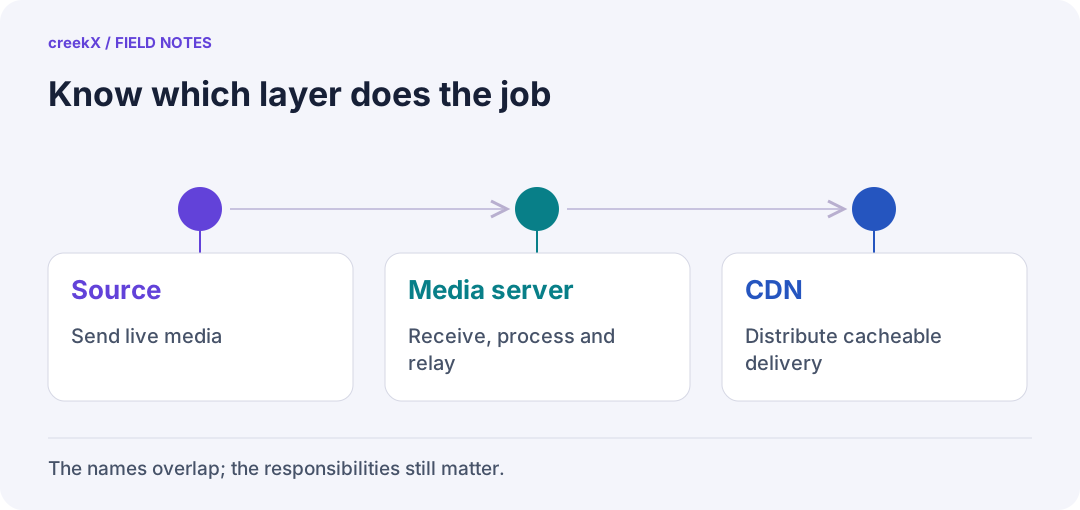
- SourceSend live media
- Media serverReceive, process and relay
- CDNDistribute cacheable delivery
Streaming server and media server
In practice these are the same product category. "Media server" is the older term and sometimes also covers file serving and video on demand; "streaming server" is usually said of live video. Both do four jobs, covered in detail in the streaming server guide:
- Ingest: accept RTMP, SRT, RTSP, WebRTC (WHIP) and authenticate each source.
- Convert: transmux to other containers, transcode extra qualities when needed.
- Record: keep the stream for replay, captions and compliance.
- Deliver: WebRTC (WHEP), HLS, LL-HLS, and restreams to platforms.
"Media server" also has an unrelated home meaning: software like Plex or Jellyfin that serves your film library to your television. That is video on demand from files, with no live ingest, and is not what this article is about.
CDN
A content delivery network is a set of caching servers in many locations. A viewer's request goes to the nearest one; if it has the file, it answers, otherwise it fetches it once from the origin and keeps it. For live video the files are HLS segments and playlists, and the origin is your streaming server.
What a CDN does not do:
- Accept RTMP, SRT or RTSP from an encoder or camera.
- Transcode, record or caption.
- Carry ordinary WebRTC: WebRTC is a live session per viewer, not a cacheable file. CDNs that offer real-time delivery run their own media servers at the edge, which is a different, more expensive product.
Side by side
| Streaming / media server | CDN | |
|---|---|---|
| Takes video from encoders and cameras | Yes | No |
| Converts and records | Yes | No |
| Sub-second WebRTC to viewers | Yes | Only special real-time products |
| HLS to very large audiences | Up to its port | Yes, its main job |
| What limits it | Cores (transcoding) and its network port | Your contract and bill |
| Typical cost shape | Server, bandwidth, licence | Per gigabyte delivered |
When one server is enough
The server's own port is the ceiling. On creekX's measured 4-core server with about 890 Mbit/s of upload, that is roughly 340 viewers at 1080p, 430 at 720p or 850 at 480p (calculated from the port; benchmarks). For a company town hall, an auction, a camera wall or a school event, that is often plenty, and nothing else is needed.
When to add a CDN
- Peak HLS viewers times bitrate exceeds your server's port.
- Viewers are spread across continents and need nearby edges.
- You want origin traffic to stay flat however large the audience grows.
Then the server stays the origin and the CDN sits in front of its HLS. How to set the cache rules: HLS behind a CDN and the CDN docs. Interactive viewers (bidders, guests, operators) keep watching WebRTC straight from the server; the crowd watches HLS through the CDN.
And platforms?
YouTube, Facebook and Twitch are a third option for reach: restream one copy from your server and their networks carry the crowd, free, on their terms and with their delay (restreaming). Many setups use all three: the server for ingest and private viewers, a CDN for the public HLS, a platform for discovery.
Try it. creekX Media Server installs on Ubuntu 24.04 with one command and is free for 14 days: install it, or start with the quick start.
Implementation check
Draw the trust boundary before adding a CDN
You need: A working origin feed and a requirement for public or private delivery.
- Mark where publishing authentication, viewer authorization, media generation and caching occur.
- Decide whether the CDN may serve a request without asking the origin. Document expiry/revocation handling.
- Test allowed and denied playback on a warmed cache before routing an audience through it.
Pass when: The architecture names who authorizes each request, not just who stores video bytes.
If it fails: A CDN cannot make an origin-only permission check run on a cache hit. Keep protected traffic uncached unless the edge enforces it.
Frequently asked questions
Is a media server the same as a streaming server?
For live video, yes: both ingest, convert, record and deliver. "Media server" can also mean home video-on-demand software such as Plex, which has no live ingest.
Do I need a CDN for live streaming?
Only when peak HLS viewers times bitrate exceeds your server’s network port, or viewers are spread across continents. Below that, the streaming server delivers directly.