
Restream to YouTube, Facebook and Twitch at once from your own server
Going live on three platforms from OBS normally means three uploads from your laptop, or a monthly restreaming subscription. A server you run can do the fan-out for you, and it barely notices the work.
One upload in, many copies out
The trick that keeps this cheap is remuxing: the server repackages the stream for each destination without decoding or re-encoding it. Each platform receives exactly what your encoder produced, and the server spends almost no processor on it. What it does spend is upload bandwidth: one copy of your bitrate per platform.
Setting it up
- Get each platform's stream key. YouTube Studio: Go live → Stream. Facebook, Twitch and Kick: their live or creator settings.
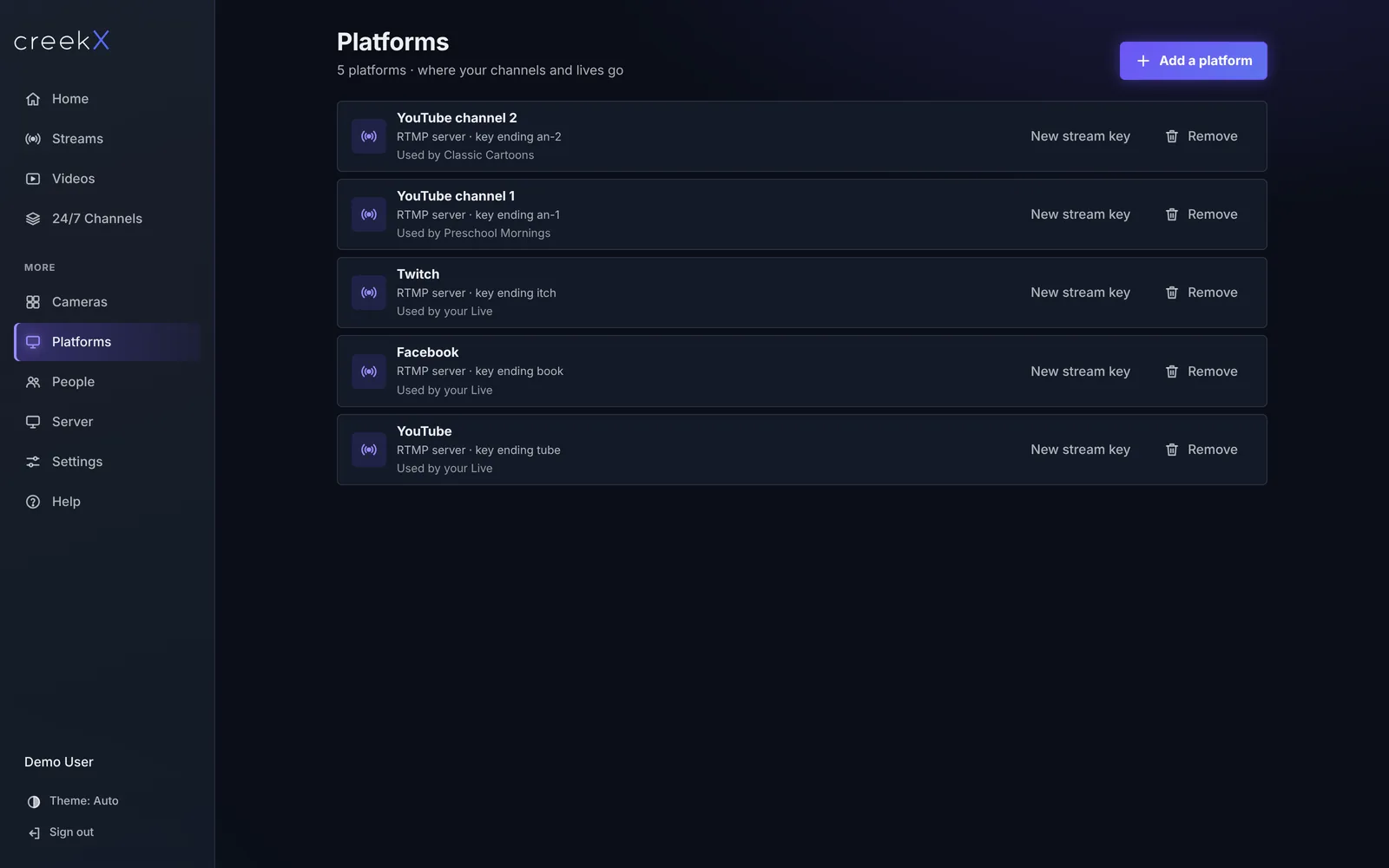
- Add each platform once in your server. In creekX: More → Platforms → Add a platform, choose it, paste the key. Any service that takes RTMP works through the custom option.
- Tick where this stream goes, under Also send to other platforms.
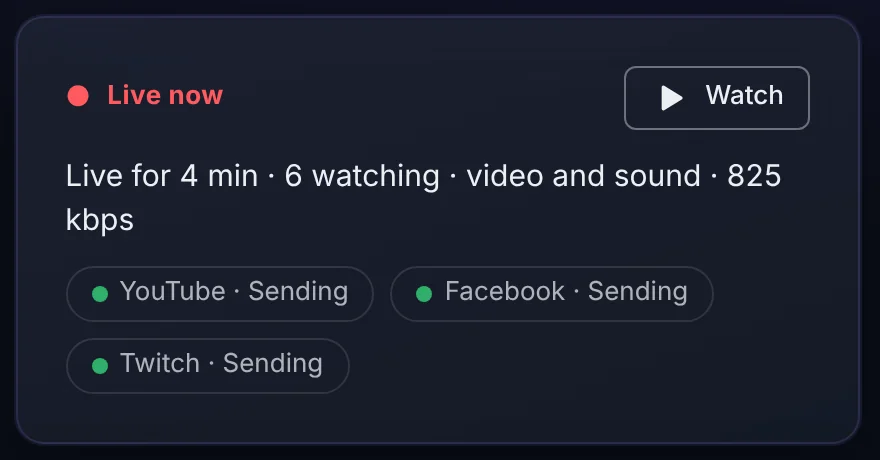
- Go live as usual from OBS, a browser or an encoder. Each platform shows whether it is receiving; stop, and it stops everywhere.
Keep the keys safe
A platform stream key lets anyone broadcast on your channel. Store them encrypted, limit who can see them, and log every change. creekX does all three: only owners and admins can view or change a key. When a platform rotates its key and starts showing not sending, paste the new one once and everything that sends there picks it up.
Don't let a dropped encoder end the show
The weak point of any restream is the encoder at the venue. Run a second encoder into another stream and set it as the backup. When we killed the main encoder outright in testing, the server noticed in 55 ms and the platforms were receiving the backup within 0.3 to 2.7 seconds, then switched back when the main returned. Viewers on your own watch page moved over within about 6 to 8 seconds.
What this costs compared with a restreaming service
A hosted restreaming service charges per month, often by destinations and hours. On your own server, the cost is the server and its outgoing bandwidth: a 6 Mbps live to three platforms is about 18 Mbps out, which any cloud server handles.
The same from code
Add a platform once; its key is encrypted on arrival and never returned:
curl -X POST https://live.example.com/v1/destinations \
  -H "X-CreekX-Key: YOUR-API-KEY" -H "content-type: application/json" \
  -d '{"kind":"youtube","label":"YouTube","ingestUrl":"rtmp://a.rtmp.youtube.com/live2","streamKey":"YOUR-YOUTUBE-KEY"}'
Choose where a stream goes, then ask how each platform is doing:
curl -X PATCH https://live.example.com/v1/streams/STREAM_ID \
  -H "X-CreekX-Key: YOUR-API-KEY" -H "content-type: application/json" \
  -d '{"destinationIds":["YOUTUBE_ID","FACEBOOK_ID","TWITCH_ID"]}'

curl -H "X-CreekX-Key: YOUR-API-KEY" https://live.example.com/v1/streams/STREAM_ID/status
{
"state": "live",
"viewers": 4,
"destinations": [
{ "label": "YouTube", "health": "sending", "problem": null },
{ "label": "Facebook", "health": "sending", "problem": null },
{ "label": "Twitch", "health": "sending", "problem": null }
]
}
When a platform fails, health says so and problem carries the
reason, so a script or a webhook can alert you. More in the
REST API quick start.
In creekX: restreaming is part of every stream and every 24/7 channel. Step by step: YouTube, Facebook and more at once. Try it free.
Frequently asked questions
How do I stream to YouTube and Facebook at the same time?
Send your live once to a server that restreams, add each platform’s stream key there, and tick the platforms for that stream. The server pushes a copy to each one.
Does restreaming reduce quality?
Not when the server passes the stream on without re-encoding: each platform gets exactly what your encoder sent, and then applies its own processing.
How many platforms can I restream to?
creekX sends each stream to up to 10 destinations at once over RTMP, SRT or RTSP, including YouTube, Facebook, Twitch, Kick and custom servers.