
On this page
Live transcoding explained: when a streaming server needs it, and what it costs
Transcoding is the one thing a streaming server does that is expensive. Everything else (receiving, recording, repackaging, sending) is copying bytes. So the first sizing question is always: which of my streams need transcoding, and how many qualities each?
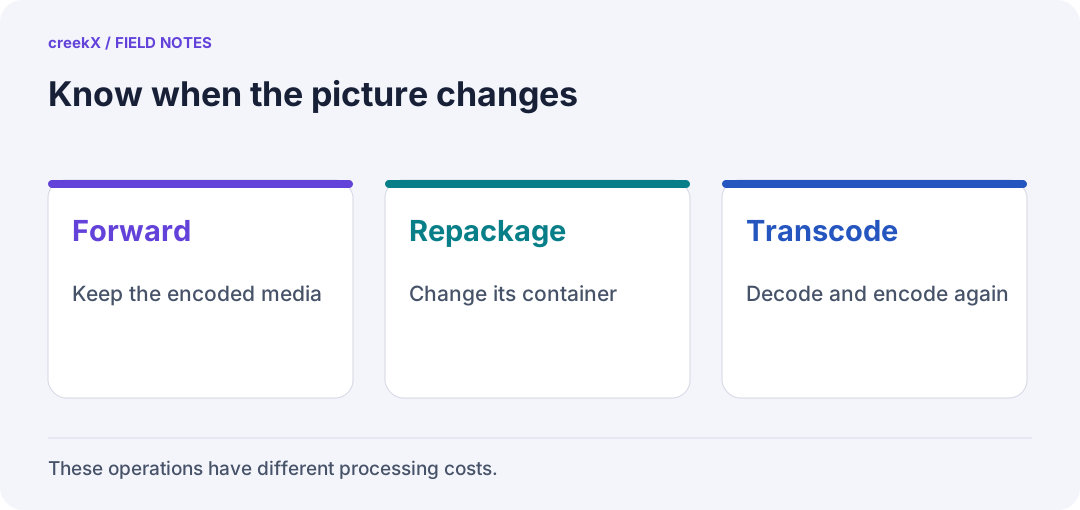
- ForwardKeep the encoded media
- RepackageChange its container
- TranscodeDecode and encode again
Three words that get mixed up
- Transmuxing (repackaging): the same compressed frames in a different container, for example RTMP's FLV into HLS segments or RTP for WebRTC. Nearly free.
- Transcoding: decode the picture and encode it again, perhaps with a different codec (H.264 to AV1) or settings.
- Transrating / transsizing: transcoding to a lower bitrate or resolution, which is what an adaptive bitrate ladder does.
Audio has its own case: WebRTC uses Opus and most encoders send AAC, so a server that offers both WebRTC and HLS converts audio for each stream. It is cheap per stream but always on.
What it costs, measured
On creekX's test server (4 vCPU, 8 GB, Ubuntu 24.04, 1080p25 H.264 source at 5 Mbit/s):
| Work | Cost |
|---|---|
| Passthrough and record, 49 lives | 13% of the server in total |
| Ladder 720p/480p/360p from 1080p | About 0.6 of a core per live |
| Ladders for 4 lives | 64% CPU, comfortable |
| Ladders for 6 lives | Too many for 4 cores |
Source: benchmarks. That is a difference of roughly two orders of magnitude between passing a stream through and transcoding it. The cost holds on larger servers: 8 lives with three qualities used 61% of an 8-core server, and 12 used 57% of a 16-core server.
Encoding cost rises roughly with pixels per second: 1080p60 costs about twice 1080p30, and 720p30 a bit under half of 1080p30. The encoder preset matters as much: faster presets trade compression for processor time. More in CPU for 1080p transcoding.
When you need it
- Viewers on mixed connections. A single 1080p stream at 5 Mbit/s stalls on a weak phone connection. A ladder lets the player step down: adaptive bitrate streaming.
- A source codec viewers cannot play. H.265 from a camera, for example, does not play in every browser.
- A house format. 24/7 channels play clips of different sizes and frame rates back to back; converting them once, ahead of time, to one format avoids doing it live.
When you do not
- Internal viewers on a good network: pass the source through.
- Camera walls: use the camera's own sub stream as the low quality instead of making one.
- Restreaming to YouTube or Facebook: they transcode for their viewers anyway; send them your best single quality.
- Recording: record the source as it arrives. 49 recorded lives cost 13% of four cores because nothing was re-encoded.
Hardware encoding
GPUs and recent Intel processors have dedicated video encoders that take ladders off the CPU, at some cost in compression efficiency at the same bitrate. They help most when you need many ladders in a small box. We have not published measurements of hardware encoding with creekX yet, so size with CPU figures unless you test your own hardware.
Sizing rule
Cores needed ≈ (streams with a ladder × cost per ladder) ÷ 0.65, keeping 30–40% headroom, because a live encoder that falls behind cannot catch up. Passthrough streams barely register. The calculator does this for you, and sizing a streaming server covers bandwidth and disk. How transcoding fits the whole chain: the streaming server guide.
Try it. creekX Media Server installs on Ubuntu 24.04 with one command and is free for 14 days: install it, or start with the quick start.
Implementation check
Prove whether a re-encode is needed
You need: A known source, a required playback device and a controlled server workload.
- Inspect the input codecs and test the original quality first.
- Enable only the conversion or lower quality the failed requirement needs.
- Compare playback, CPU and delay before and after. Restore the pass-through path if it already meets the requirement.
Pass when: The extra processing fixes a specific compatibility or bandwidth problem under the tested load.
If it fails: Repackaging cannot make an unsupported codec decodable. Extra HLS renditions do not establish a WebRTC ladder.
Frequently asked questions
What is the difference between transcoding and transmuxing?
Transmuxing moves the same compressed frames into a different container (RTMP to HLS) and costs almost nothing. Transcoding decodes and re-encodes the picture, which costs processor time per stream and quality.
How much CPU does live transcoding take?
On creekX’s 4-core test server, a 720p/480p/360p ladder from a 1080p source took about 0.6 of a core per live; four lives ran at 64% CPU, six did not fit.