
On this page
Streaming IP cameras to a website without a cloud subscription
IP cameras speak RTSP; browsers do not. Camera makers' answer is a cloud app with a fee per camera per month, and your video on their servers. The alternative is a streaming server you run yourself: it pulls each camera over RTSP on your own network and serves it to a web page as WebRTC or HLS. Nothing leaves your network except what viewers watch.
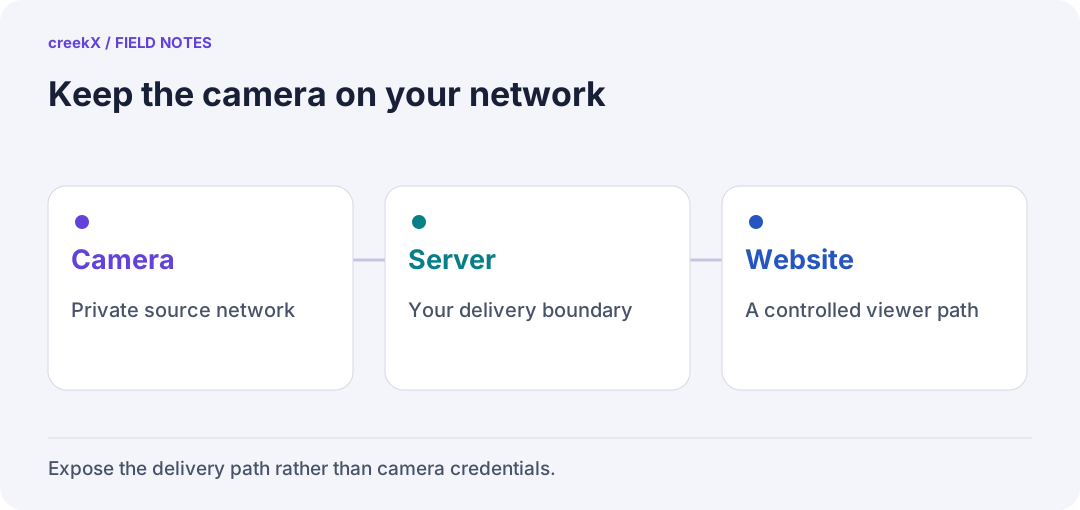
- CameraPrivate source network
- ServerYour delivery boundary
- WebsiteA controlled viewer path
How it fits together
- Cameras stay on their own network, ideally a VLAN with no internet access at all.
- The streaming server sits where it can reach the cameras. It pulls each one over RTSP. Finding cameras by ONVIF and recording them around the clock come with creekX Cameras, a separate product.
- The web page embeds a player that plays WebRTC (under a second behind live) or HLS (a few seconds, plays everywhere, caches on a CDN).
The camera never accepts a connection from the internet. Only the server is reachable, on https and the WebRTC media port. This is the opposite of the classic mistake of forwarding port 554 on the router to the camera, which puts a device with years-old firmware on the public internet.
Step by step
-
Find the RTSP address. ONVIF discovery reports it; otherwise it is in
the camera's manual, typically
rtsp://user:[email protected]:554/…. Check it from the server withffprobe -rtsp_transport tcp "rtsp://…". - Pick the right stream. Cameras offer a main and a sub stream. Use H.264, not H.265, for web viewing: every browser plays H.264. The sub stream (often 640×360) is enough for a wall of thumbnails.
- Add it to the server. In creekX, any camera with an RTSP address can be pulled into a stream; ONVIF discovery, PTZ and continuous recording come with creekX Cameras. See the IP cameras docs.
- Embed it. Copy the watch link or embed code onto your page (share and embed). Public, link-only or token-protected.
The protocol conversion itself is explained in RTSP to WebRTC, and the camera-specific server features in IP camera streaming server.
Bandwidth and disk, with numbers
A camera passed through is not re-encoded, so processor use stays low: on a 4-core server creekX took 49 recorded 1080p streams at 13% CPU. The real limits are the network and the disk.
- Into the server: the sum of camera bitrates. 30 cameras at 4 Mbit/s is 120 Mbit/s, constantly, whether anyone watches.
- Out to viewers: viewers × bitrate. 50 people watching one 4 Mbit/s camera need 200 Mbit/s of upload. A site's office line is often the first limit, so a public camera page usually wants the server in a data centre, or a CDN in front of HLS.
- Recording: GB per hour ≈ Mbit/s × 0.45. One camera at 4 Mbit/s, recorded 24/7, is about 43 GB a day and 1.3 TB a month. Thirty of them is about 39 TB a month: decide retention before you buy disks.
Recording real IP cameras over days is not yet in our published measurements; the figures above are arithmetic (what is measured).
Security checklist
- No port forwarding to cameras. Ever.
- Cameras on their own VLAN, allowed to talk only to the streaming server.
- Change camera default passwords; the server stores the credentials, not the page.
- Watch links with expiring tokens for anything not meant to be public (expiring tokens).
- https on the server, so browsers trust it and WebRTC works.
What it costs instead of a subscription
A camera cloud charges per camera per month, forever. A self-hosted server costs the machine, its disk and bandwidth, and the software. creekX Media Server is $99 per server per month; camera management (ONVIF discovery, PTZ, continuous recording, a camera wall by site) is creekX Cameras, licensed per camera — see the Cameras page. The server also works on a network with no internet at all, for sites where that is a requirement (offline streaming).
How cameras fit with every other source and protocol: the streaming server guide.
Try it. creekX Media Server installs on Ubuntu 24.04 with one command and is free for 14 days: install it, or start with the quick start.
Implementation check
Check the website is not leaking camera access
You need: A test camera, an HTTPS watch page and an allowed and denied viewer.
- Add the RTSP source on the server and enable only the intended viewer path.
- Inspect the final embed from a signed-out browser. Confirm no camera password appears in page source or browser requests.
- Try the denied viewer and repeat after the feed reconnects. Stop the test pull afterwards if no longer needed.
Pass when: The page exposes only the permitted server playback route, with the camera kept private.
If it fails: A working local monitor does not test the public embed, remote network or viewer access decision.
Read next
Frequently asked questions
Can I put an IP camera on a website without a cloud service?
Yes. A self-hosted streaming server pulls the camera’s RTSP stream and plays it in the browser as WebRTC or HLS; the camera stays on your private network.
Why not just forward port 554 to the camera?
It exposes the camera, often with old firmware and default credentials, to the whole internet, and browsers cannot play RTSP anyway.