
On this page
How much upload speed does a live stream need?
The speed test at the ground said 20 Mbit/s. Twenty minutes into the match the stream started freezing, right when the clubhouse filled up and everyone's phone joined the Wi-Fi. Upload is the number that decides whether a live stream survives, and the speed test is the wrong way to measure it.
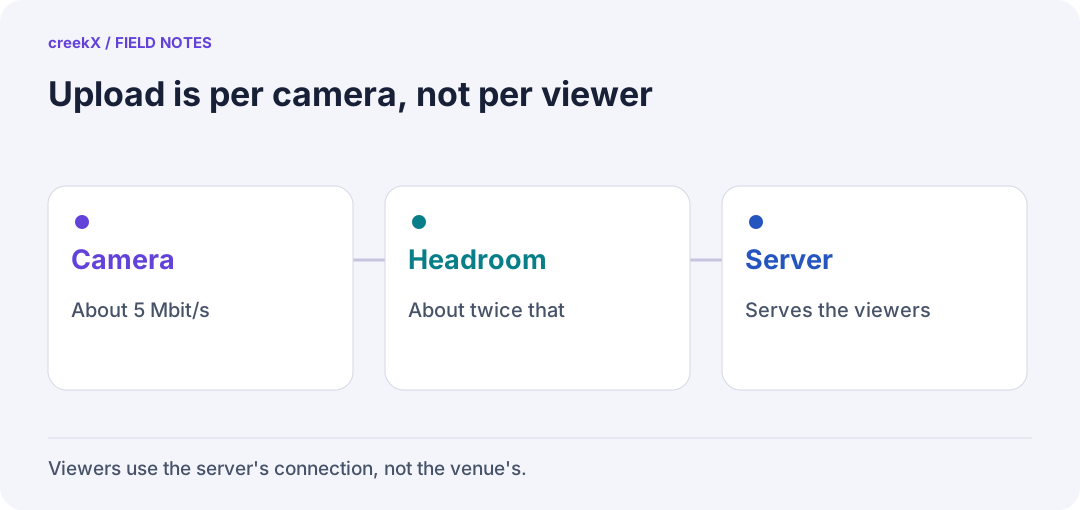
- CameraAbout 5 Mbit/s
- HeadroomAbout twice that
- ServerServes the viewers
The rule
If your streaming server is somewhere else, such as a data centre or the cloud, the venue sends one stream per camera. Viewers then pull from the server's connection, not the venue's. So:
- 1080p is typically 4 to 6 Mbit/s per camera. Our tests used 5 Mbit/s.
- 720p is typically 2.5 to 4 Mbit/s.
- Plan for about twice the bitrate in steady upload. That is our rule of thumb, not a standard.
Two 1080p cameras at 5 Mbit/s each: plan for about 20 Mbit/s of upload.
When the server is at the venue
If the server sits at the venue and serves viewers directly, its upload must carry every viewer at once. 100 viewers at 2.5 Mbit/s is 250 Mbit/s, far beyond most venue connections. That is why most setups send from the venue to a server with a big connection, or put a CDN in front: see HLS behind a CDN.
Test it properly
Run a real test stream for at least as long as your event, at the same time of day, with the venue as busy as it will be. Watch for frames dropped by the encoder; OBS shows them at the bottom of its window. If the line is shaky, send with SRT, which re-sends lost packets: see SRT over bad networks. For whole-sale numbers, see what live auction streaming costs per sale.
Frequently asked questions
What upload speed do I need to stream 1080p?
One 1080p stream is typically 4 to 6 Mbit/s. Plan for about twice that in steady upload, so around 10 to 12 Mbit/s per camera.
Why does my stream freeze when the speed test looked fine?
A speed test measures a short burst. A live stream needs that speed for hours, at the busiest time of day, and shares the line with everyone else on the network.