
On this page
Live streaming for online auctions: sub-second video bidders can trust
In a live auction the video is part of the sale. If online bidders see the hammer six seconds after the room does, they bid on a lot that is already sold, the auctioneer waits, and every lot takes longer. The fix is delivery measured in fractions of a second, to every bidder, without a platform taking a cut of the audience. Here is how to build it.
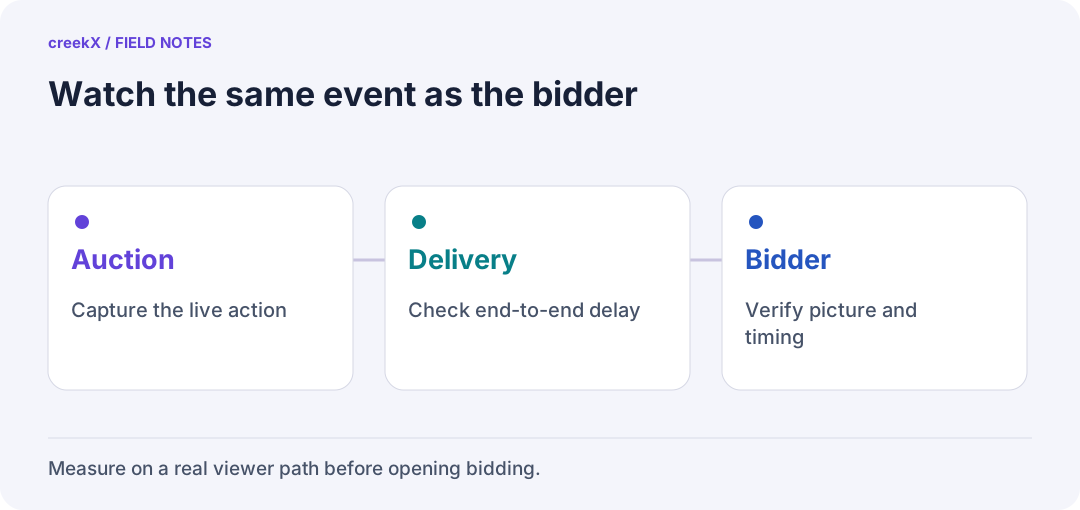
- AuctionCapture the live action
- DeliveryCheck end-to-end delay
- BidderVerify picture and timing
Why the delay decides everything
| Delivery | Typical delay | For an auction |
|---|---|---|
| WebRTC | under 1 s (creekX: 0.49 s median) | Bidders: they see "going once" as it is said |
| Low-latency HLS | 1–5 s (creekX: about 1.25 s) | Watchers who do not bid; large public audiences |
| HLS, YouTube, social | 6–30 s | Marketing and replays, never bidding |
creekX figures were measured on a local network (benchmarks); the internet adds its own delay on top. The detail of the trade-off is in WebRTC vs LL-HLS latency.
Most of the delay is in the encoder, not the server
When we first measured this, a stream sent with OBS's default settings reached viewers 1.68 seconds late over WebRTC. We expected the server to be the slow part. It wasn't: the frame left the laptop about 1.3 seconds after it was drawn, before the server had touched it. OBS's defaults use B-frames and look-ahead, which help picture quality and cost time.
With B-frames off and a keyframe every second, the same setup measured 0.41 seconds median and 0.60 seconds at worst. So before you change servers or players, check the encoder in the auction room. It is the cheapest half-second you will find.
The setup
- Cameras. One on the auctioneer, one on the lot. A PTZ IP camera can be pulled over RTSP; a video camera goes through a capture card or hardware encoder.
- Sending. OBS or an encoder sends RTMP to the server on the same network, or SRT when the server is elsewhere and the venue's internet is unreliable (SRT over bad networks). For a quick sale, the auctioneer can go live from a browser over WHIP.
- The streaming server takes the feed, records it, and serves WebRTC to bidders and low-latency HLS to everyone else.
- Your bidding page embeds the player next to the bid button. Keep your bidding system in charge of the lot and the clock: the video helps people see, but it doesn't decide who won.
Tune the encoder for real time: a keyframe every 1–2 seconds, no B-frames, a "zero latency" tune. Encoder buffering is the most common reason a WebRTC stream still feels slow.
How many bidders one server carries
Measured on a 4 vCPU cloud server: 500 WebRTC viewers of one 1080p live at 2.5 Mbit/s used 37% of the processor. Off the test bench the network port is the limit, so on an 890 Mbit/s uplink plan for roughly:
- 340 bidders at 1080p (2.5 Mbit/s)
- 430 at 720p (2 Mbit/s)
- 850 at 480p (1 Mbit/s)
Those are calculated from the port, not measured on real bidders' networks. Bigger sales add servers, or send WebRTC only to registered bidders and LL-HLS (which caches on a CDN) to watchers. Running several lanes or rings? See how many auction lanes one server can stream. Size your own sale with the calculator.
Access, records and disputes
- Registered bidders only. Give each bidder an expiring, signed watch link so a link forwarded after the sale stops working (expiring tokens, and the viewer security docs).
- Viewer logs. Who watched, from when, for how long: useful when a bidder says they could not see the lot.
- Recording. Every sale is recorded without re-encoding, about 2.3 GB an hour at 5 Mbit/s, so a disputed lot can be replayed to the second.
- Restream the same sale to YouTube or Facebook for reach, with their delay, while bidders stay on the sub-second stream.
Why on your own server
Auction houses tend to hold sales on a schedule, with peaks of a few hundred bidders. A metered service charges each of those viewer hours; a self-hosted server is one fixed cost: creekX is $99 per server per month, with viewers and bandwidth not metered by us. The worked numbers are in self-hosted vs cloud cost. The bidder list, the video and the recordings also stay with you.
Embedding the player next to your bid button: share and embed. Every protocol and number above, explained: the streaming server guide.
Try it. creekX Media Server installs on Ubuntu 24.04 with one command and is free for 14 days: install it, or start with the quick start.
Implementation check
Keep the bid clock authoritative
You need: A rehearsal lot, a test bidding application and a separate video test feed.
- Show the lot identifier and bidding state from the auction backend beside the player.
- Delay or pause only the test video and confirm the bid controls still follow the authoritative auction state.
- Rehearse the response to a viewer seeing an old lot or a disconnected video. Record the integration decision with the auction team.
Pass when: Video helps bidders observe the event; bid acceptance and lot closure remain controlled by the bidding system.
If it fails: Hosting video and bids on your own servers does not synchronize them. Validate the integration rather than using video frames as a transaction clock.
Read next
Frequently asked questions
What latency does a live auction need?
Under a second for bidders, so they see the lot and the hammer when the room does. That means WebRTC delivery; low-latency HLS (1-5 s) suits watchers who do not bid.
How many online bidders can one server handle?
On creekX’s measured 4-core server, 500 WebRTC viewers of one 1080p live used 37% CPU. The network port is the real limit: about 340 viewers at 1080p or 430 at 720p on 890 Mbit/s.