
On this page
Best streaming server software in 2026: an honest comparison of 8
There is no single best streaming server; there is the one that speaks your sources' protocols, meets your delay, and that your team can run. Below are eight self-hostable options, open-source and commercial, described from their public documentation, last checked on 2 November 2026. We make one of them, so read our entry with that in mind, and check each project's own pages before deciding: features and licences change.
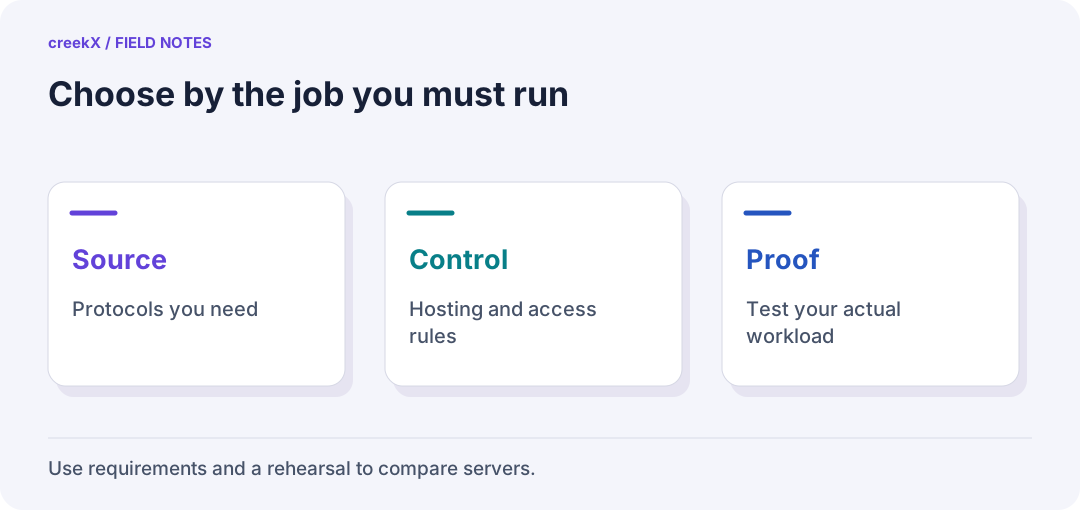
- SourceProtocols you need
- ControlHosting and access rules
- ProofTest your actual workload
The short version
| Server | Licence | In | Out | Built-in transcoding | Admin UI |
|---|---|---|---|---|---|
| creekX | Commercial, per server | RTMP(S), SRT, RTSP, WHIP, MPEG-TS/UDP | WebRTC (WHEP), LL-HLS, HLS, restream | Yes (ABR ladder) | Yes |
| Wowza Streaming Engine | Commercial, subscription | RTMP, SRT, RTSP, WebRTC and more | HLS, DASH, WebRTC and more | Yes (Transcoder) | Yes |
| Red5 / Red5 Pro | Apache 2.0 / commercial | RTMP; Pro adds WebRTC, SRT, RTSP | RTMP, HLS; Pro adds WebRTC | Pro | Basic |
| SRS | MIT | RTMP, SRT, WebRTC (WHIP) | HLS, DASH, HTTP-FLV, WebRTC (WHEP) | Via FFmpeg | Console |
| OvenMediaEngine | AGPL-3.0 | RTMP, SRT, WebRTC (WHIP), RTSP pull | WebRTC, LL-HLS, HLS | Yes | No (REST API) |
| MediaMTX | MIT | RTSP, RTMP, SRT, WebRTC (WHIP), UDP | RTSP, RTMP, HLS, LL-HLS, WebRTC (WHEP), SRT | No (runs FFmpeg) | No (YAML, API) |
| nginx-rtmp-module | BSD-2-Clause | RTMP | RTMP, HLS, DASH | Via FFmpeg | No |
| Owncast | MIT | RTMP | HLS, web page with chat | Yes | Yes |
"Built-in transcoding" means the server makes extra qualities itself; "via FFmpeg" means you script an FFmpeg process alongside it. Neither is wrong, but the second is work you own.
1. creekX Media Server
Ours. A self-hosted server with an app around it: going live from OBS, encoders, browsers and IP cameras; watch links, embeds and viewer access control; recording with captions; 24/7 channels from a library; restreaming; a REST API and webhooks. It installs on Ubuntu 24.04 with one command; networks with no internet use an assisted offline installation. It uses open-source components, each listed with its licence on the open source page. Measured on a 4-core server: 49 recorded 1080p lives at 13% CPU, 500 WebRTC viewers of one live, 0.49 s median WebRTC delay (benchmarks). Not yet measured: servers above 4 cores and viewers on many real networks. Cost: $99 per server per month or $999 a year. Choose it if you want the whole product on your own servers without assembling it. Skip it if you need DASH output or a multi-region cluster managed for you today.
2. Wowza Streaming Engine
The long-established commercial option, Java-based, with a very wide protocol list, a transcoder, DRM integrations and a large ecosystem of integrators. Licensed per instance by subscription. Choose it if you need breadth (DASH, DRM, legacy broadcast formats) and an integrator ecosystem. Consider that the engine is a building block: the viewer-facing application is usually yours to build.
3. Red5 and Red5 Pro
Red5 is an open-source Java media server from the RTMP era. Red5 Pro is the commercial product built on it, focused on large-scale WebRTC with clustering, and adds SRT and RTSP ingest. Choose Pro for very large real-time audiences with vendor support. Open-source Red5 alone is mostly useful for RTMP workloads.
4. SRS (Simple Realtime Server)
A fast, MIT-licensed C++ server popular in Asia and with broadcasters building their own platforms. Strong RTMP, HTTP-FLV, HLS, SRT and WebRTC with WHIP/WHEP, plus origin/edge clustering. Choose it if you have engineers who want a high-performance core to build on. Expect to add your own application, user management and transcoding scripts.
5. OvenMediaEngine
A C++ server designed for sub-second delivery at scale: WebRTC and low-latency HLS out, RTMP, SRT, WHIP and RTSP pull in, with built-in transcoding and its own player, OvenPlayer. Licensed AGPL-3.0, which matters if you modify it and offer it as a service. Choose it for a low-latency core with transcoding included. Expect configuration by XML and REST, not a UI.
6. MediaMTX
A single Go binary, MIT-licensed, that reads and serves almost every live protocol: RTSP, RTMP, SRT, WebRTC with WHIP/WHEP, HLS and LL-HLS, and MPEG-TS over UDP. It is excellent at moving streams between protocols, especially from IP cameras, and is light on resources. It does not transcode by itself (it can run FFmpeg on events), and has no user interface or user management. Choose it as a protocol router or camera gateway you configure in YAML.
7. nginx-rtmp-module
The classic: an nginx module that takes RTMP and writes HLS or DASH, with FFmpeg called from the config for transcoding. Simple and well understood, but RTMP-only on the way in, no WebRTC or SRT, and development of the original module slowed years ago (forks carry it on). Choose it for a simple RTMP-to-HLS relay you understand completely. Avoid it when you need sub-second delay.
8. Owncast
A self-hosted, single-channel "your own Twitch": RTMP in from OBS, HLS out on a ready web page with chat, transcoding built in. MIT-licensed and easy to run. Choose it for one creator's channel with chat. It is not designed for many simultaneous streams, cameras or sub-second delivery.
How to choose between them
- Delay. If viewers act on what they see (bids, bets, guards), rule out anything without WebRTC output: nginx-rtmp and Owncast.
- Sources. IP cameras need RTSP pull; bad networks need SRT; browsers need WHIP. Tick them off against the table.
- Build or buy the application. The open-source engines are excellent cores. The login screens, watch links, recordings library, viewer controls and API are either built by you or bought.
- Licence. MIT and BSD let you do almost anything; AGPL obliges you to share modifications offered as a network service; commercial licences cost money and include support.
- Measure on your footage. Install two candidates and push your own streams through them.
Background on every term here: the streaming server guide. The money side: self-hosted vs cloud cost at 10, 50 and 200 streams. Hosted services (Mux, Cloudflare Stream, YouTube Live) are on the compare page.
Implementation check
Run the same acceptance test on each candidate
You need: A written requirement and a private feed you may publish.
- Specify source codecs, ingest, playback devices, access rules, recording and recovery before comparing software.
- Send the same source through each candidate and test the viewer from another network.
- Keep install effort, failed cases, resource use and operational ownership beside the successful playback result.
Pass when: The comparison is reproducible and records the version tested instead of relying on a feature-list tick.
If it fails: Protocol support does not establish support for every codec, private-viewing rule or recovery path.
Try it. creekX Media Server installs on Ubuntu 24.04 with one command and is free for 14 days: install it, or start with the quick start.
Frequently asked questions
What is the best open-source streaming server?
It depends on the job: MediaMTX for routing protocols and IP cameras, SRS or OvenMediaEngine for a low-latency core with WebRTC, nginx-rtmp for a simple RTMP-to-HLS relay, Owncast for a single channel with chat.
Which streaming servers support WHIP and WHEP?
Among those compared: creekX, MediaMTX, SRS and OvenMediaEngine (WHIP ingest). Check each project’s current documentation.