
Server health
View CPU, memory, disk and network health from the admin console.
When CreekX runs on your server, your team needs to see its condition and know when a video service goes offline. The admin console brings server health and logs into one place, email alerts flag interruptions, and optional off-site backups are encrypted before leaving the server.
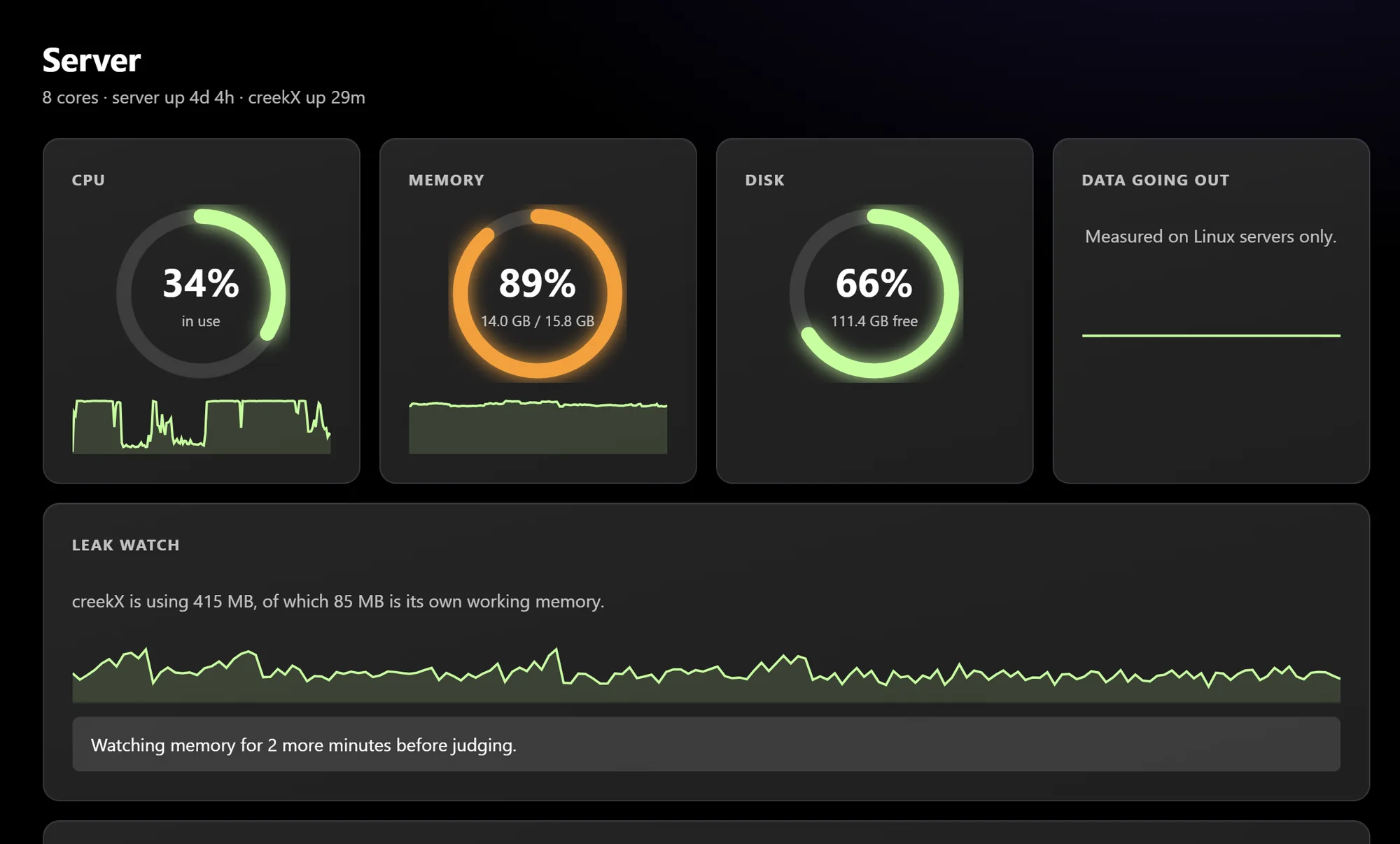
CreekX provides operational information for the team responsible for its customer-controlled installation.
View CPU, memory, disk and network health from the admin console.
Use the server log and troubleshooting guidance to investigate common failures.
CreekX sends an email when a channel, live stream or camera goes offline, so the customer’s team can investigate.
If CreekX or one of its components crashes, the software restarts it automatically. A 24/7 channel can recover without an operator restarting it, and a configured backup stream can take over automatically. Stream failover is separate from the off-site backup capability used for stored data.
CreekX runs on the customer’s own server and sends no telemetry to CreekX. Off-site backup is optional. When enabled, backup data are encrypted with AES-256-GCM on the customer’s server before leaving it. Enabling that feature creates an outbound data path, so it should be reviewed against the site’s network and data-handling requirements. A backup holds the database, configuration and licence, and can include your videos if you ask for them. Nightly off-site backups go to S3-compatible storage you own, such as Amazon S3, Cloudflare R2, Backblaze B2 or Wasabi. Restoring replaces everything on that server with the backup and starts CreekX again, so test a restore on a separate install, never over your live server.
Monitor the server supporting a continuous channel and receive an email if the channel goes offline.
Watch server resources and logs while CreekX receives and delivers live streams.
Receive camera-offline alerts and monitor the server running the camera installation.
Keep the core installation and operational data on customer-controlled infrastructure, with outbound backup features enabled only when the deployment permits them.
These controls support customer-operated infrastructure, but they are not a staffed monitoring service. CreekX does not currently provide round-the-clock phone support. Paid Pro and Cameras licences include email support Sunday to Thursday, 09:00-18:00 Gulf Standard Time, with a reply within one business day. Overnight requests are answered on the next business day; Enterprise customers can agree different coverage in their contract.
Developers and IT teams evaluating CreekX Media Server can begin with the 14-day trial. It requires no credit card and needs internet access during installation. The Cameras portal is not included in that trial. Speak to CreekX first if you need Cameras, a fully offline or air-gapped installation, several servers, more than 50 live streams, thousands of viewers, tender documentation or Enterprise support terms.
Start the Media Server trial for a self-serve evaluation, or describe your environment to CreekX if backup data flow, offline installation, Cameras or support coverage needs to be reviewed first.